


Starting today, you can assign roles inside Arcade.dev. Role-based access control (RBAC) is live so you decide who on your team can administer your Arcade organization, and who can simply use the tools in it. If you already run RBAC across the rest of your stack, this will feel familiar. You can mirror the structure you have.
We built this for the specific moment when you stop testing agents with a handful of people and start rolling them out across the organization.
When everyone can do everything, someone breaks something
For a two-person demo, assuming that every user is an admin works fine. Everyone can build, everyone can execute, and nobody gets in the way.
That approach stops working at enterprise scale. When every user can do everything, one person deleting a shared resource in the dashboard can break work that dozens of other people depend on, even if that person never realized the resource mattered. That is the difference between an agent that runs in a demo and one you can safely run in production, and it is exactly the kind of risk that keeps a security team from approving a broad rollout.
RBAC closes that gap. You can give your whole organization access to Arcade without worrying that one wrong click takes down an entire team’s workflow.
Three roles, mapped to how your org already works
Arcade now supports three roles:
- An organization admin has access to everything.
- A project admin manages a given project without touching organization-level infrastructure.
- A member can use the tools they’ve been given, and nothing beyond that.
The point of the split is to protect shared infrastructure. A member can run the tools they need, but they can’t create or change something like an MCP gateway that other teams rely on, because that isn’t their job and one change ripples outward. Access broadens as roles move up, so permissions map cleanly onto the org-and-project structure you already use everywhere else.
What RBAC controls, what it doesn’t
RBAC in Arcade governs who can administer your Arcade organization. It does not define what an agent is allowed to do on a given action.
Agent authorization already runs at the intersection of user identity and agent scope, evaluated per action at runtime. That part of Arcade hasn’t changed. What’s new is the administrative layer above it that gives you control over who can configure, change, and manage Arcade itself.
Roll out to your whole org with confidence
Setting it up is simple. You open the dashboard, pick a user, and assign a role with a full matrix of permissions and rules underneath.
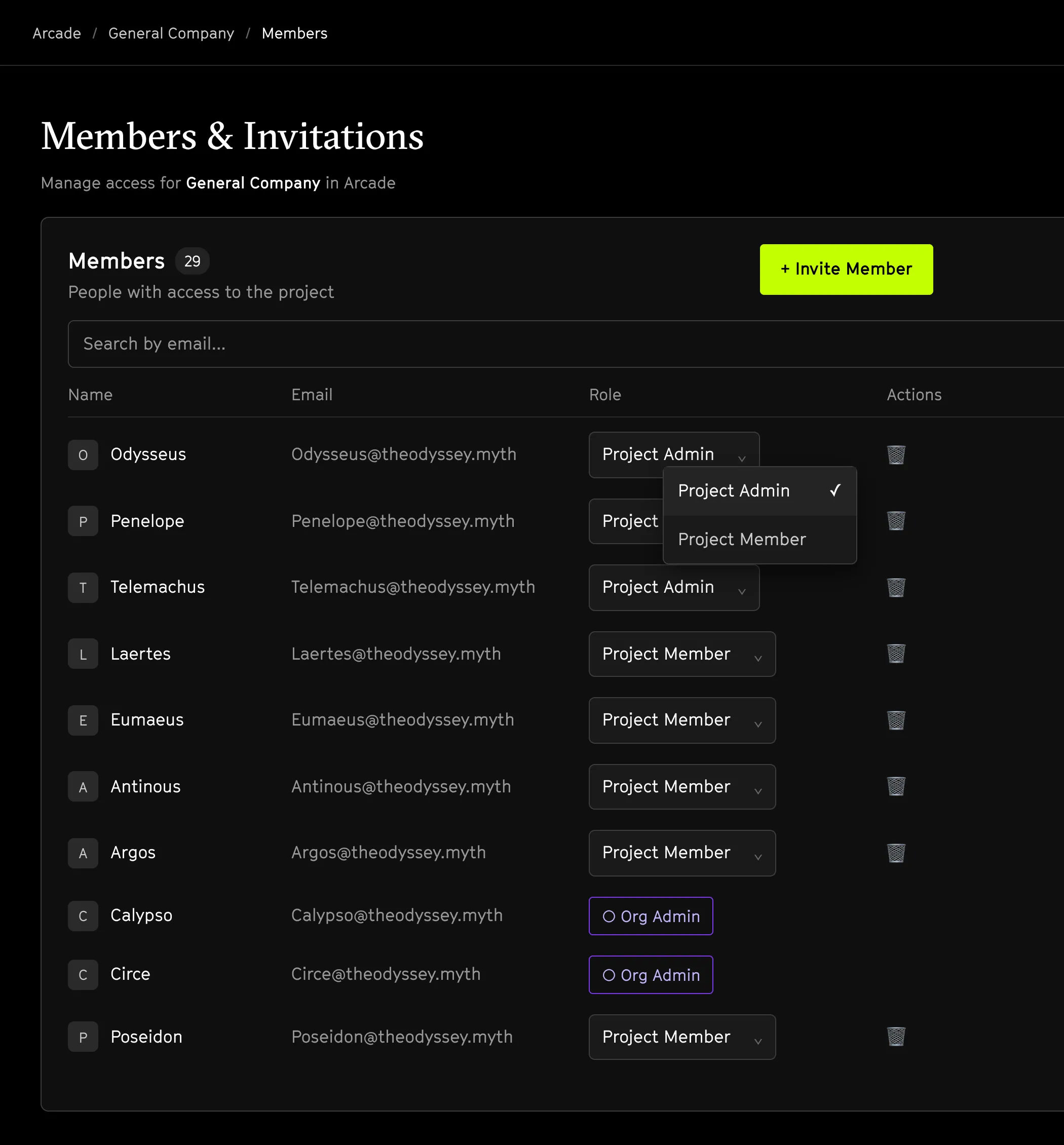
That simplicity is the point. Governing agents across an organization is one of the three problems teams hit when agents move into production, alongside enforcement and reliable execution. RBAC gives you the control that lets you deploy the first agent the same way you deploy the hundredth, safely, and without becoming the bottleneck yourself.
Role-based access control is available now in your Arcade dashboard. Set your roles, roll agents out to your team, and tell us what you build.