


Since our last round-up, Arcade.dev has shipped a rebuilt Microsoft Outlook toolkit, a new Snowflake toolkit, and optimized toolkits for Calendly and Airtable. Here’s what your agents can do now that was out of reach just a couple months ago.
Outlook agents can now clear an inbox
Most large enterprises run their email and calendars on Outlook, and until recently our Outlook Mail toolkit was read-heavy. An agent could list and search a mailbox, but clearing one still meant handing the work back to a person. We’re fixing that in a multi-release overhaul, and the first wave is live.
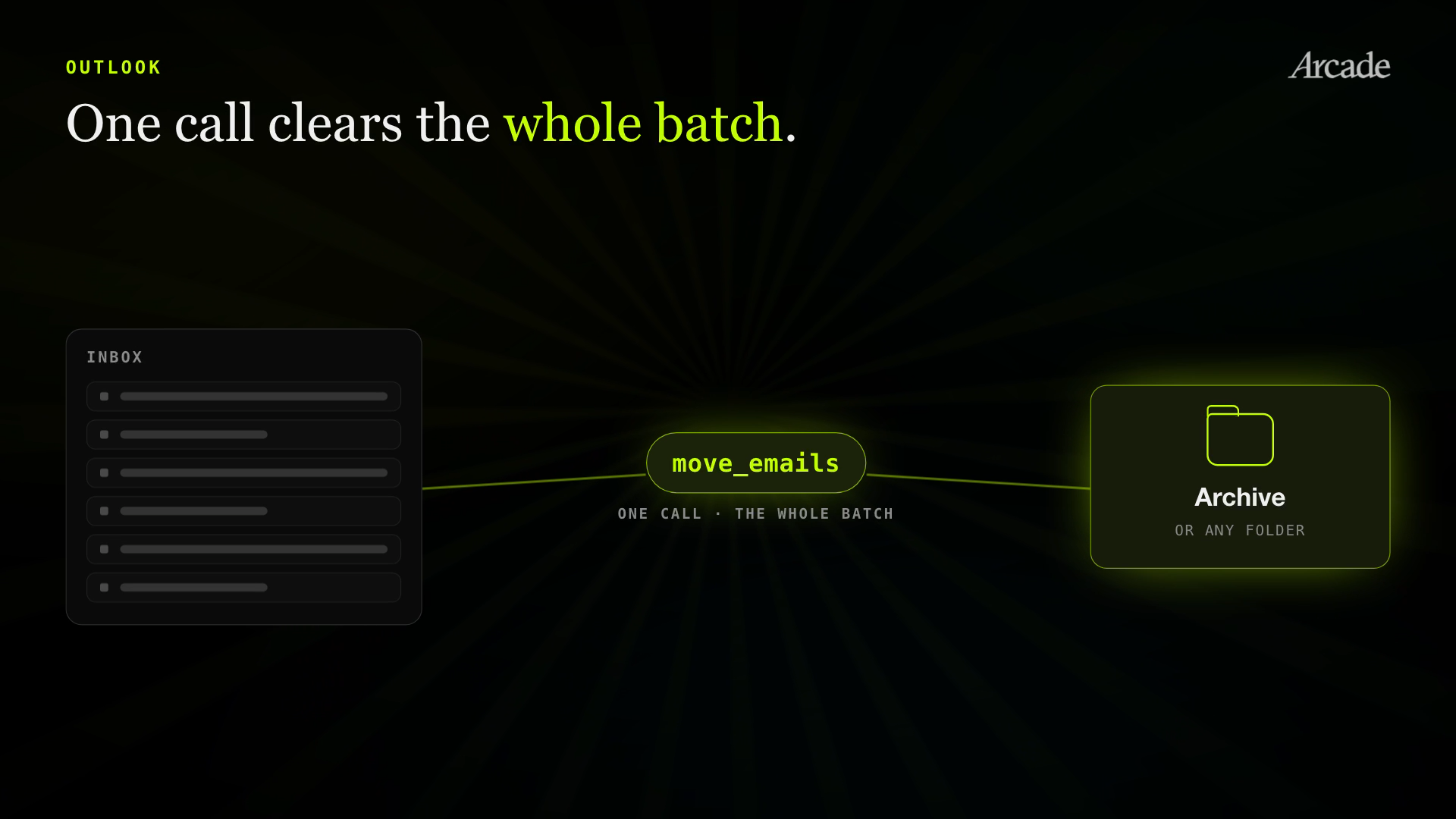
The biggest addition is bulk triage. A single move_emails call now moves a whole batch of messages to Archive or any other folder. Agents can also create a folder to file into, and if one with that name already exists, the tool uses it instead of making a duplicate.
Replies got smarter too. An agent can now loop in someone who wasn’t on the original thread, a case that used to stall mid-send and leave a person to finish it in Outlook.
Next up is cleaning up your calendar by removing or cancelling designated events, plus marking messages read or flagged.
Snowflake agents query the warehouse as the person asking
Snowflake is one of the most-requested connectors across our enterprise accounts. One customer’s data team wanted agents working in their warehouse, but with a hard requirement: no shared service account, and no agent reaching tables its user couldn’t.
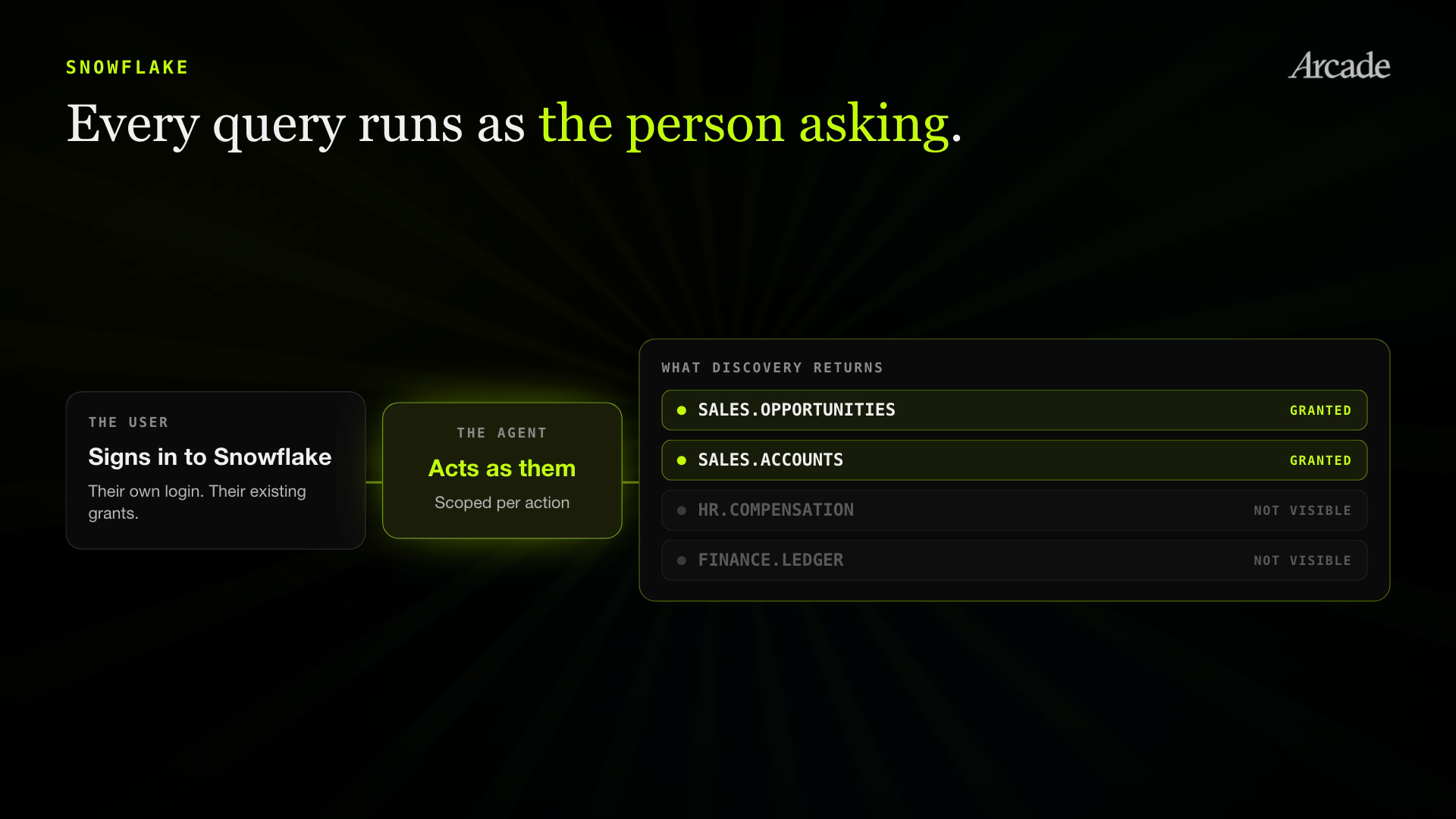
Each user signs in to Snowflake themselves, and their existing grants decide what they see. Agents discover warehouses, databases, schemas, tables, and columns on their own, with no IDs to pass in, and every listing is filtered to what that person’s role allows.
The toolkit is also read-only. It refuses writes, schema changes, and role switches, whatever the user’s own role permits. That matters for cost as much as security, since a runaway agent query against a massive table lands directly on the Snowflake bill.
If your team would rather connect Snowflake’s own hosted MCP server, for example to expose user-defined functions you’ve built, Arcade connects to that too. Our docs walk through the setup.
Calendly and Airtable get toolkits shaped around real workflows
Calendly and Airtable each got new optimized toolkits built around what people actually ask an agent to do.
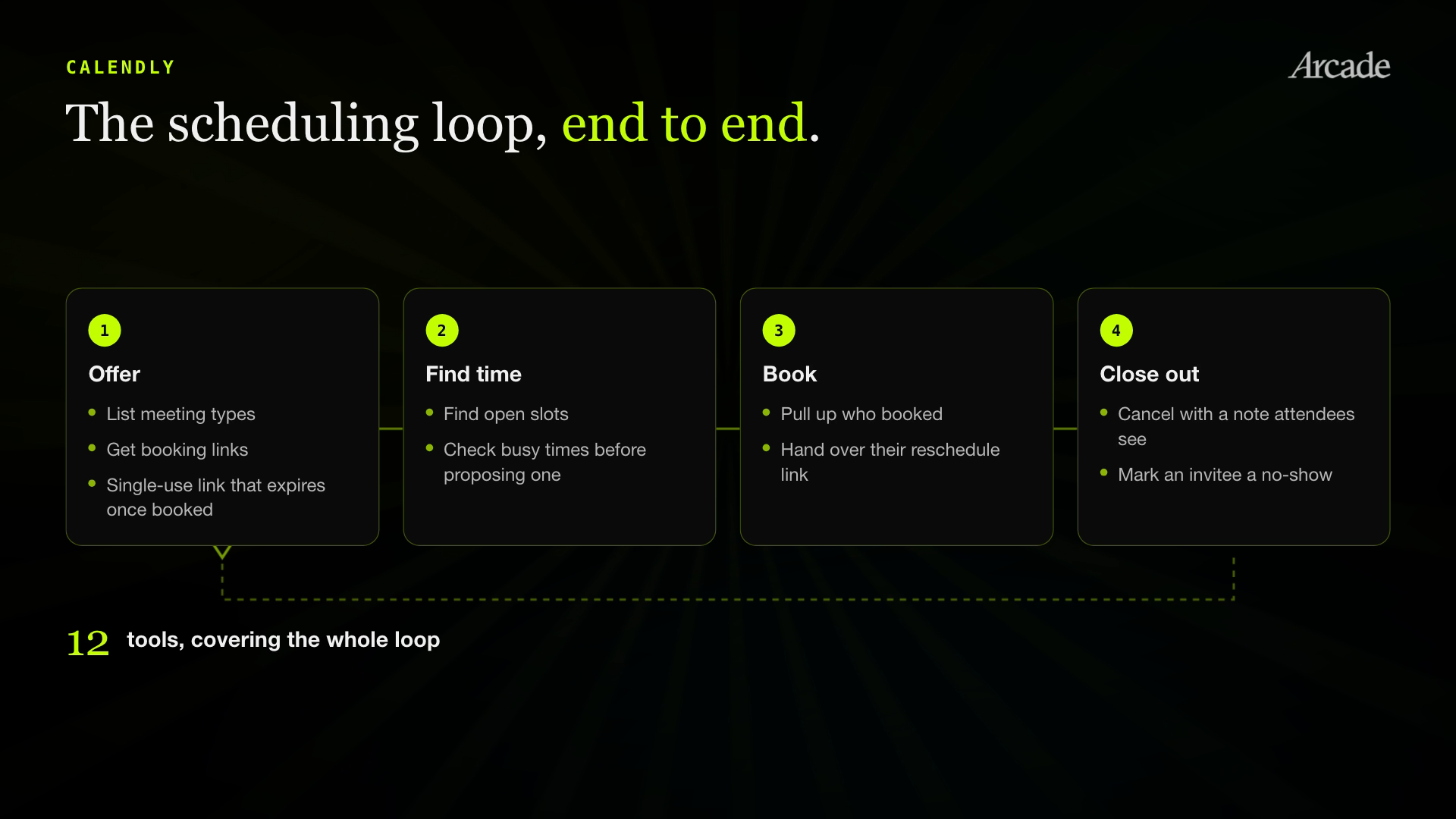
Calendly’s 12 tools cover the scheduling loop end to end. An agent can list your meeting types and their booking links, find open slots to answer “when can we meet next week?”, check busy times before proposing one, and pull up who booked a meeting along with their reschedule link.
It can also cancel an event with a note attendees will see, create a single-use booking link that expires once someone books, and mark an invitee as a no-show for later reporting.
Airtable’s nine tools focus on record workflows. Agents can identify the connected account and its bases, and read a table’s schema, including fields, select options, linked tables, and views. From there they can list, search, and get records, then create, update, or delete them in batches of up to 10.
The toolkit handles the details that trip agents up on a raw API: safe formula construction, pagination, request limits, response sizes, and reconciling partial writes. It requests least-privilege OAuth scopes, and the starter toolkit remains available if you need the broader API surface.
Why “agent-optimized” matters
Every one of these tools is hand-built for the way agents actually work, not wrapped around a raw API. They run on Arcade’s runtime with delegated user authorization, so an agent acts scoped to exactly what that user is permitted to do, evaluated per action. A Snowflake agent queries only the tables that user’s role can reach. An Outlook agent works only in the mailboxes that user can open. A Calendly agent manages that user’s meetings. Nothing more.
Try them at Arcade.dev and tell us what you build.