


Traditional iPaaS and unified-API products solved static, deterministic SaaS-to-SaaS data synchronization. Autonomous AI agents raise the bar.
When software makes non-linear decisions on behalf of human operators, the integration layer needs dynamic authorization, strict capability permissioning, and granular auditability.
For any department acting on a production system, from engineering to HR, finance, and legal, the integration layer you choose determines whether your agents stay single-user prototype demos or scale into secure, enterprise-wide production deployments. Connecting an LLM to an API is just the start now. Governing that connection and enforcing consistent policy across every agent is the real work.
Evaluating these providers requires bypassing vanity metrics like raw connector counts. The focus must be on what actually separates these systems in production: secure per-user delegated authorization, governed and intent-optimized tool-calling surfaces, and standard runtime observability.
Key takeaways
- Secure authorization is non-negotiable. Production agents require per-user delegated OAuth and strict credential isolation. Shared service accounts create security risks and don’t pass enterprise reviews.
- Choose the right architecture for the job. Pick agent-native runtimes for multi-user agent actions. Arcade.dev provides the full runtime stack (auth, tools, tool- and agent-level governance). Composio supports managed auth and MCP, but is best suited for individual use cases and prototyping. Choose unified APIs (Merge, Nango) for continuous background data syncs and product integrations. Use iPaaS (Workato, Zapier, n8n, Make) for deterministic workflows and AI-assisted automation controlled by workflow platforms.
- High-level task tools are more efficient. Prefer governed MCP (Model Context Protocol) tools built around complete user intents over low-level API wrappers to reduce LLM hallucinations, lower token costs, and improve reliability.
- Observability is more than history. Demand OpenTelemetry (OTel) traces and SIEM-ready audit logs for enterprise-grade governance, not just basic webhook history.
- MCP support is not agent authorization. MCP standardizes tool connectivity but does not provide token vaulting, JIT consent, policy enforcement, or audit logs. The transport mechanism (Streamable HTTP vs. stdio) affects latency, but the authorization and governance layer above transport determines production readiness.
How we evaluated AI agent integration platforms
We reviewed current product pages and official documentation, then compared each platform across four production requirements: authorization, tool execution, auditability, and pricing.
Raw connector counts were treated as secondary. The review focused on whether each platform can safely execute agent actions for real users, not just connect an LLM to an API.
- Auth and tenancy: We looked at how each platform handles multi-tenant OAuth state, just-in-time (JIT) consent, credential isolation from the LLM, tenant separation, and deployment options like cloud, VPC, on-prem, or air-gapped environments.
- Tool execution: We compared low-level API wrappers against higher-level tools built around complete agent tasks. We also reviewed MCP support, gateway behavior, external MCP server support, retries, batching, and whether the platform governs tool execution at runtime.
- Logs and audits: We checked whether each platform provides basic execution history, structured audit logs, OpenTelemetry-compatible traces, SIEM export, and enough per-user visibility for enterprise incident response.
- Pricing and TCO: We compared pricing models across platform fees, usage-based billing, linked accounts, connections, executions, tasks, actions, credits, and enterprise contract tiers.
Quick comparison of AI agent integration platforms
For production agents requiring multi-user delegated authorization, high-level task tools, and strict isolation of credentials from the LLM, agent-native runtimes like Arcade work best, whereas MCP gateways and integration wrappers like Composio are better suited for individual use cases and prototyping. If you’re building embedded integrations and need continuous background data syncs to populate RAG context windows, unified-API layers like Merge or Nango fit that job better.
For internal workflows that don’t require autonomous decision-making or dynamic token routing, iPaaS and workflow tools like Workato, Zapier, n8n, or Make are viable.
Pick the wrong architecture, and you’ll force your engineering team to build custom multi-tenant OAuth brokers and complex retry mechanisms from scratch. That defeats the whole purpose of adopting a vendor platform (whether managed or self-hosted).
| Provider | Category | Auth and permissions | How agents call tools | Logs and audits | Pricing drivers | Best fit |
|---|---|---|---|---|---|---|
| Arcade | Secure action runtime (MCP Gateway, Tool calling, Auth and Governance) | Per-user OAuth with runtime-enforced user + agent + delegated context intersection | Agent-optimized tools and governed MCP gateways for Arcade-hosted or customer MCP servers | OpenTelemetry audit logs and SIEM-ready API | Platform fee + usage-based | Production multi-user autonomous agents |
| Composio | MCP gateway and tool catalog | Per-user connected accounts with managed auth | Session meta tools for search, auth, and execution | Session logs | Usage-based plan tiers | Individual use cases and rapid prototyping |
| Nango | Code-first integration runtime | Per-connection OAuth and API-key credentials | Syncs, action functions, MCP | Logs and OTel trace export | Connections + usage-based | Product integrations and RAG context syncs |
| Merge | Unified API with early Agent Handler | Linked accounts, plus per-user or group auth in Agent Handler | Normalized APIs and MCP-ready connectors | Enterprise tier only: Logs, audit trail, SIEM streaming | Platform + linked accounts/credits | Embedded integrations and early governed agent tooling |
| Workato | Enterprise iPaaS and MCP control plane | RBAC, SSO, OAuth 2.0 user authorization | Recipes, API collections, MCP servers | Job history, audit logs, SIEM streaming | Enterprise platform + task usage | Governed enterprise workflow automation |
| n8n | Workflow automation | Workflow credentials with RBAC and credential sharing | Workflow nodes, AI Agent nodes, MCP nodes | Execution history, log streaming, OTel in self-hosted setups | Execution-based plans | Self-hosted engineer automation |
| Zapier | Automation platform | App connections and shared connections | Zaps, MCP, Agents, Functions | Task history and workspace audit controls | Task/action-based plans | Consumer and SMB task routing |
| Make | Visual automation platform | App connections with team and org controls | Scenarios, AI Agents, MCP Server | Execution logs and history | Credit-based plans | Complex visual data routing |
MCP support is not the same as agent authorization
Many platforms now advertise MCP support, but MCP is a connectivity standard, not an authorization framework. MCP defines how models discover and call tools. It does not provide token vaulting, just-in-time consent, verified user binding, policy enforcement, or audit logs.
Agent-native runtimes like Arcade govern execution above the MCP layer: vaulting credentials per user, enforcing the user + agent + delegated context permission intersection per action, and producing SIEM-ready audit trails. MCP gateways and integration wrappers that expose MCP endpoints still need separate infrastructure for these controls. Transitioning to enterprise production requires evaluating MCP server deployment platforms that natively decouple compute hosting from action governance.
Best agent-native runtimes for AI agents
Arcade.dev: Agent-native secure action runtime for multi-user delegated auth

Best for
Teams deploying secure, multi-user agents that require delegated authorization and precise, intent-level enterprise actions.
Overview
Arcade is a purpose-built action runtime that unifies agent authorization, agent-optimized tools, and tool- and agent-level governance into a single infrastructure layer. It is fully agnostic to models, AI agent frameworks, and clients. This avoids the ecosystem lock-in of cloud-native or vendor-specific alternatives and ensures flexible integration with the rest of your business stack.
Arcade is not only a routing & MCP gateway. It is a full action runtime. Unlike raw integration wrappers that force language models to parse complex API schemas, Arcade acts as an intelligent execution engine. It ensures agents only take actions at the strict intersection of user permissions, agent scopes, and delegated context, including tenant, resource, scope, task, and expiry constraints, with every action runtime-enforced and forever auditable.
Key features
- Agent authorization: Requires user identity, agent security principal, and delegated context (tenant, resource, scope, task, expiry) for every action, severely limiting the prompt injection blast radius. This is implemented via pre- and post-tool-call permission enforcement hooks that integrate with your existing Identity, DLP, and GRC systems rather than creating a new policy silo. Arcade co-authored MCP’s authorization specification alongside Anthropic, Microsoft, and Okta/Auth0. It supports MCP authorization patterns while adding the runtime controls MCP leaves out: token vaulting, policy enforcement, and audit logs.
- Automated token vault: Encrypted per-user, per-provider token vault with automatic async refresh, rotation, scope mismatch resolution, and credential storage isolated from the LLM context window.
- Managed secrets: Supports managed secrets for API-key-based custom tools when OAuth delegation is not available.
- Agent-optimized tools (MCP): A large catalog of intent-optimized tools built around complete user tasks, preventing parameter hallucination and dramatically reducing context window token spend.
- Runtime-level MCP Gateway: Federates Arcade tools and customer MCP servers into governed, identity-scoped gateways inside the Arcade runtime.
- Tool- and agent-level governance: Provides fine-grained, OTel-compatible audit logs tracking every agent action per user, per service.
Pros
- Solves the engineering burden of multi-user OAuth state management out-of-the-box.
- High-level, intent-based tools are measurably more reliable and token-efficient than raw API passthroughs.
- Enterprise-grade auditability passes strict InfoSec reviews because of isolated credential architecture and detailed OTel-compatible audit logs, supported by Arcade’s SOC 2 Type II compliance.
Cons
- Overkill for simple, single-user hobby projects or static cron-job automations.
- Focuses on agentic tool calling rather than bulk historical data synchronization.
Pricing
- Platform fee plus usage-based pricing designed for production scale.
- Transparent enterprise tiers available with cloud, VPC, on-prem, and air-gapped deployments, plus advanced policy controls.
- Free tier available for development and testing.
Composio: MCP gateway and integration wrapper for rapid prototyping

Best for
Developers and individual users who need to prototype AI agents quickly across many apps.
Overview
Composio provides managed authentication, per-user sessions, MCP access, SDKs, and a large catalog of pre-built tools. It is best suited for individual workflows and prototype agent builds where speed of setup matters more than centralized enterprise governance.
Key features
- Extensive connector catalog covering many apps and tool actions.
- MCP access through sessions for connecting agents to tools quickly.
- Managed auth and per-user connected accounts for standard OAuth flows.
- Intent-based tool search for selecting actions from the catalog.
- Broad SDK support across Python, JavaScript/TypeScript, and native framework integrations like LangChain and LlamaIndex.
Pros
- Fast setup for prototypes, hackathons, and early-stage agent builds.
- Broad connector catalog for common SaaS tools.
- Drop-in integrations with popular open-source AI frameworks.
Cons
- Better fit for individual use cases and prototypes than centralized, enterprise-wide agent governance.
- MCP-based usage does not provide the same runtime-enforced user, agent, and delegated context permission intersection as a full action runtime.
- SOC 2 Type II compliance is limited to its highest Enterprise tier, complicating security reviews for startups.
- Observability does not publish the same OTel-first audit model expected in SIEM-heavy enterprise environments.
Pricing
- Per-tool-call tiered pricing model.
- Free tier available for individual developers and testing.
- Pro and Enterprise plans required for higher rate limits, compliance standards, and priority support.
Best unified API platforms for B2B data sync
Nango: Code-first integration runtime for syncs, actions, and MCP
Best for
Engineering teams that need code-owned integration infrastructure for data syncs, webhooks, and selected agent tools.
Overview
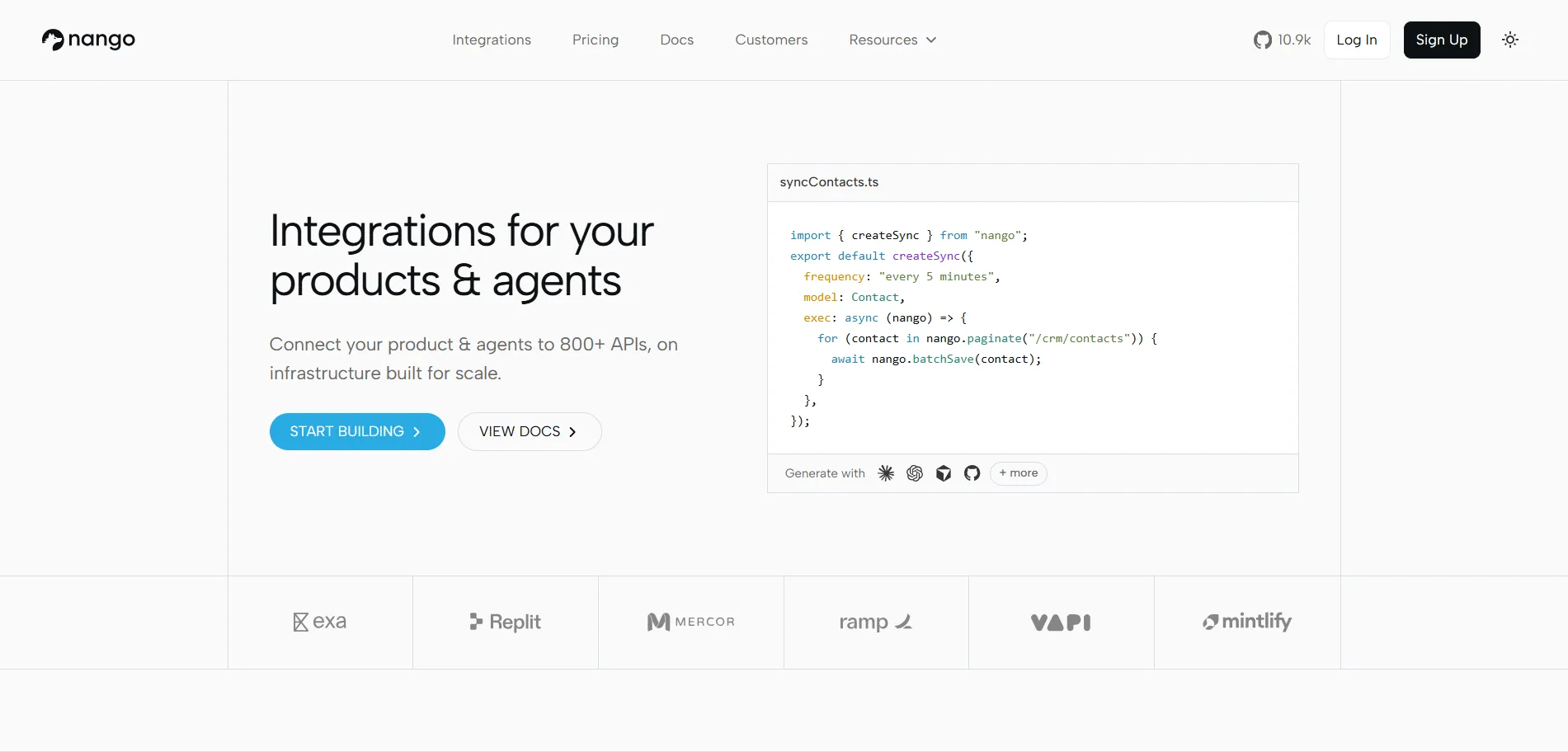
Nango is a code-first integration platform for managing OAuth, API credentials, syncs, webhooks, proxy requests, and integration functions.
Nango supports MCP and tool calling through action functions. Its core fit is product integration infrastructure and data plumbing for embedded B2B SaaS applications rather than turnkey agent governance.
Key features
- Continuous and incremental data syncs for keeping RAG vector databases updated.
- Real-time webhooks and customizable triggers for reactive automation.
- Integrations-as-code approach managed via Git for structured deployment.
- White-labeled OAuth flows for end-user authentication and authorization.
- Action functions exposed as tools through MCP.
- Logs and OpenTelemetry trace export for integration observability.
Pros
- Effective at continuous data synchronization for populating LLM context windows.
- Code-first model gives engineering teams control over integration behavior.
- Handles API polling, proxy requests, and webhooks in one integration layer.
Cons
- Agent tools are built from custom action functions, so teams still own tool design and safety tuning.
- Higher operational overhead required to maintain custom integration code compared to turnkey managed agent runtimes.
- No native runtime-enforced user/agent/delegated-context permission intersection for delegated agent actions; teams own that layer.
Pricing
- Pricing scales across active connections, proxy requests, function runs, compute, logs, sync storage, and webhooks.
- Free tier provided for testing and low-volume usage.
Merge: Normalized Unified API with early Agent Handler support

Best for
Teams that need standardized embedded integrations across specific SaaS categories and want to evaluate early agent-tooling features separately.
Overview
Merge offers a Unified API that normalizes data within a fixed set of software categories, including HRIS, ATS, CRM, Ticketing, Accounting, and File Storage, so that many providers in each category expose a single, consistent schema. By making CRMs or ATS platforms look similar to the developer, Merge reduces integration debt.
Merge Agent Handler adds MCP-ready connectors, tool packs, authentication options, DLP, audit trails, and SIEM streaming to Merge’s integration infrastructure. It is a newer layer relative to Merge’s mature Unified API, so teams should evaluate it separately for production agent action use cases.
Key features
- Deep, normalized data models spanning HRIS, ATS, CRM, and Ticketing categories.
- Embedded link UI component delivering frictionless end-user authentication and authorization out of the box.
- Extensive logging, monitoring, and dashboarding for API request health.
- Normalized webhooks abstracting away the fragmented nature of third-party system events.
- Agent Handler for exposing selected tools to agents through MCP-ready connectors.
Pros
- Reduces engineering maintenance when integrating with multiple tools in the same software category.
- Normalized schemas lower API complexity and boilerplate code for developers.
- Mature core Unified API infrastructure for embedded integrations.
Cons
- Unification uses a lowest-common-denominator schema, so agents lose access to niche, app-specific actions that don’t fit the common model.
- Agent Handler is a newer layer relative to Merge’s mature Unified API, so tool coverage, policy model, and deployment fit should be evaluated separately.
- Built primarily for B2B embedded data syncs, so agent tool-calling is still adjacent to a data-sync-first architecture.
Pricing
- Unified API pricing is contract-oriented and commonly based on linked accounts and product usage.
- Agent Handler pricing uses usage credits and separate plan tiers.
- Free sandbox environment available for initial testing.
Best iPaaS and low-code tools for deterministic workflows
Workato: Enterprise iPaaS with an MCP control plane

Best for
Enterprise IT and RevOps teams that need governed workflow automation and want MCP access controlled through the Workato platform.
Overview
Workato is an enterprise iPaaS that connects SaaS applications through complex, trigger-based recipes.
Workato now supports MCP servers, an MCP registry, gateway enforcement, rate limits, and Verified User Access with OAuth 2.0 user authorization. This fits large-scale workflow governance, but the model centers on Workato recipes, API collections, and workflow assets rather than on an agent-native action runtime designed around per-action user, agent, and delegated-context permission intersections.
Key features
- Thousands of pre-built application connectors.
- MCP servers managed through Workato’s control plane.
- Complex logical branching, batch processing, and robust error handling capabilities within the UI.
- Strict role-based access control for governed workflows.
- Embedded Workato capabilities for customer-facing OEM integrations.
Pros
- Addresses user authorization through RBAC, SSO, and OAuth 2.0 for Workato-managed assets.
- Provides compliance tracking and IT administrator controls.
- Handles multi-step, deterministic data pipelines securely.
Cons
- Heavy implementation cycles make it less agile for modern, code-driven AI agent development teams.
- Workato-centric workflows fit poorly for open-ended agent action execution outside the Workato platform.
Pricing
- Enterprise-focused contract pricing tied to platform licensing and task or job usage.
n8n: Self-hosted workflow automation for engineers

Best for
Technical founders and indie hackers who want a self-hosted, fair-code workflow automation tool.
Overview
n8n is a flexible, node-based, visual automation tool bridging the gap between low-code and code-first approaches. It is popular within the open-source AI community for quickly wiring up LLM nodes to custom webhooks and REST APIs on a tight budget.
Key features
- Robust self-hosting capabilities supporting on-premise and VPC deployments.
- Advanced custom HTTP request nodes enabling complex API interactions.
- Native AI Agent and LangChain nodes directly accessible within the visual builder interface.
- MCP trigger and client nodes for connecting workflows with MCP-compatible systems.
- Fair-code license model providing a high degree of transparency.
Pros
- Total data privacy control through self-hosting.
- Flexible architecture for developers who want to write custom JavaScript directly within visual workflow nodes.
- Cost-effective for workflows requiring massive volumes of high-frequency executions.
Cons
- Uses workflow credentials with RBAC and credential sharing, not a managed per-user delegated OAuth broker for SaaS agent runtimes.
- Enterprise-grade observability requires additional self-hosted or enterprise configuration.
Pricing
- Free for the self-hosted community edition.
- Cloud-hosted tiers are structured around workflow executions, not per-step pricing.
Zapier: iPaaS for SMB automation and AI-assisted workflows

Best for
Non-technical users, marketers, and SMBs who need to connect applications quickly without writing a single line of code.
Overview
Zapier is a consumer and SMB automation platform with a large app ecosystem and AI features including MCP, Agents, Functions, and SDK options.
Zapier is optimized for users who connect apps and automate repeatable tasks. For production enterprise agents, auth boundaries, policy enforcement, auditability, and latency against a dedicated action runtime need to be evaluated.
Key features
- 10,000+ app integrations.
- MCP and agent-facing product surfaces for connecting automations to AI workflows.
- Visual builder interface enabling natural language Zap creation.
Pros
- Broad connector ecosystem for common business apps.
- Low setup friction for basic trigger-action workflows.
Cons
- Built around Zapier app connections and workspace controls, not runtime-enforced per-action user, agent, and delegated context permission intersections.
- Auditability and policy enforcement are tied to Zapier’s automation workspace rather than an agent-native governance layer.
- Zapier orchestration adds overhead for low-latency agent actions.
Pricing
- Freemium model available for basic usage.
- Scales steeply based on the total number of tasks and actions executed.
Make: Visual iPaaS for complex data routing

Best for
Operations teams, business analysts, and creators who need visual branching logic for bulk data manipulation and automation.
Overview
Formerly known as Integromat, Make provides a visual, canvas-based iPaaS. Operations teams use it for data arrays, iterators, branching logic, AI Agents, and MCP-connected automation.
Key features
- Visual drag-and-drop integration canvas allowing flexible workflow paths.
- Advanced array iterators, aggregators, and data manipulation modules.
- Thousands of supported third-party applications.
- Make AI Agents and Make MCP Server for AI-assisted workflows.
Pros
- Intuitive visual interface suited for building complex, multi-path data processing workflows.
- More cost-effective than competitors for high-volume task runs and heavy background processing.
Cons
- Built around scenarios and app connections, not a delegated multi-user agent runtime.
- Architecture does not suit low-latency, per-action agent execution across external systems.
Pricing
- Free tier includes a monthly credit allowance.
- Paid plans scale through credits consumed by module actions and related operations.
Real-world examples: Evaluating AI agent integration platforms
The following are illustrative scenarios, not case studies from specific deployments.
Job 1: Secure delegated authorization for a recruiting agent (Lever)
The challenge: You’re building an internal HR agent tasked with screening candidate profiles in the Lever Applicant Tracking System on behalf of multiple hiring managers, without exposing global organizational salary data.
Service-account approach: This fails security reviews immediately. Any workflow or integration design that relies on a single admin API key or unified service account for the whole agent faces the same structural problem.
Because the agent inherits the global organizational scope, a simple prompt injection attack from an applicant can trick the agent into exposing confidential executive compensation data.
Agent Runtime approach (Arcade): When the hiring manager prompts the agent, the runtime pauses execution and requests Just-In-Time (JIT) consent from that specific manager via an OAuth flow.
The action executes within the intersection of the manager’s personal Lever permissions, the agent’s allowed capabilities, and the delegated context (tenant, resource, scope, task, expiry). If a prompt injection attack occurs, the agent can’t access data beyond what the specific hiring manager is cleared to see. The action is securely logged in an OTel trace attributed directly to that user.
Job 2: Tool calling reliability at scale (Google Slides)
The challenge: An autonomous agent is tasked with generating a comprehensive 50-page presentation deck based on a massive financial dataset.
Raw API wrapper approach: Exposing low-level Google Slides API methods directly to the LLM context window creates brittle execution paths.
The LLM can hallucinate specific UUIDs required for page elements, mishandle nested JSON batch structures, and rapidly exhaust the 60-request-per-minute user rate limit. The context window fills with API calls, pagination cursors, and retry logic.
Agent Runtime approach (Arcade): The LLM outputs a single, natural language intent to an optimized MCP tool, simply stating: “Create 50 slides using this financial data.”
The runtime translates this intent into a complex, batched API request. It handles pagination, element ID mapping, and exponential backoff retries server-side. Then it returns only a concise, deterministic success payload to the LLM’s context window. The job executes reliably in a fraction of the time, consuming dramatically fewer response tokens.
Conclusion: How to choose an AI agent integration platform
Raw connector count isn’t a viable metric for evaluating integration platforms anymore. For production-grade AI agents, the actual deployment blockers are multi-user authorization, lack of audits, tool- and agent-level governance, and tool determinism.
The right platform depends on your architectural foundation. Use iPaaS for deterministic automation. Rely on unified APIs if your primary goal is continuous background data synchronization.
When agents are limited to fetching information and replying with text, the ROI stays incremental. An agent-native action runtime solves this by providing the autonomous execution, delegated per-user permissions, and high-level task tools required to take action and pass enterprise security reviews.
Don’t spend months of engineering bandwidth rebuilding complex OAuth flows, token rotation logic, and custom API wrappers for your agents. If you need to transition a multi-user agent from a local prototype to a secure production environment, sign up for a free Arcade.dev account and see the tool catalog and delegated authorization model firsthand.
FAQ: AI agent integration platforms
What is the difference between an agent-native runtime, a unified API, and an iPaaS?
Agent-native runtimes provide a secure execution environment for production agents, featuring per-user delegated authorization, vaulted credentials, structured audit logs, and hosted tool execution. Unified APIs focus on normalized data models and continuous sync for embedded integrations and RAG context. iPaaS tools optimize for deterministic workflow automation using shared or centrally managed credentials.
Do AI agents need per-user delegated OAuth, or is a shared service account enough?
For multi-user or enterprise agents, you typically need per-user delegated OAuth to enforce least privilege and pass security reviews. Shared service accounts expand blast radius and worsen prompt-injection outcomes.
What should I look for in observability for agent integrations?
Look for OpenTelemetry-compatible traces, per-user/per-tool audit logs, and exportability to SIEM. “Webhook history” alone usually isn’t sufficient for enterprise incident response and compliance.
When should I choose Arcade?
Choose Arcade when you need to deploy multi-user agents that take real actions across enterprise systems with delegated per-user authorization, intent-optimized tools, and centralized tool- and agent-level governance. Arcade is the right fit when your agents must pass enterprise security reviews, enforce the intersection of user, agent, and delegated context permissions per action, and produce SIEM-ready audit logs, especially in regulated verticals like financial services and healthcare.
When should I choose a unified API like Merge or Nango instead of an agent runtime?
Choose a unified API when your primary need is ongoing background sync (e.g., keeping a database/vector store updated) and normalized objects across vendors. Choose an agent runtime when the primary need is safe, reliable tool execution initiated by an LLM.
How do pricing models differ across these platform categories?
Agent runtimes often price by tool calls/executions, unified APIs by connections, linked accounts, sync volume, or function runs, and iPaaS by tasks, executions, actions, or credits. The cheapest option depends on whether your workload is action-heavy (agents) or sync-heavy (data pipelines).
How do agent runtimes handle rate limiting and pagination?
Agent-native runtimes handle these server-side, automatically managing retries and batching requests. This prevents the LLM from processing errors and cursors, saving tokens and preventing logic failures. Raw API wrappers force the LLM to handle these issues directly in the context window.
What is MCP (Model Context Protocol)?
MCP is an open standard for connecting AI models to tools and data sources. It replaces fragile, proprietary wrappers with a universal communication protocol, allowing developers to build a tool once and deploy it across any compatible agent.
How does MCP transport affect latency and scalability?
The MCP transport mechanism affects latency, concurrency, and operational complexity. Recent benchmarks show Streamable HTTP handling higher throughput than stdio in production-style tests.
How do agent runtimes prevent prompt injection?
Runtimes limit prompt injection damage by isolating credentials from the LLM and enforcing the intersection of user, agent, and delegated context permissions at the execution layer. They use vaulted, per-user OAuth tokens, ensuring a compromised agent can’t act beyond either its own scoped permissions or the authenticated human user’s permissions.
How do high-level task tools reduce hallucinations compared to raw API wrappers?
High-level task tools accept a complete user intent (e.g., “create a 50-slide deck”) and handle parameter mapping and retries server-side. This reduces the model’s need to generate brittle IDs/JSON and lowers token usage.
Is MCP required to build production AI agents?
MCP isn’t required, but it helps standardize tool interfaces and portability across agents. What really matters is whether the platform provides governed execution, secure auth, and reliable tool behavior.


