


Ask an agent to draft an email and you get a block of text, so changing even one comma or editing a couple of words involves an annoying copy and paste loop. Or you could ask the model to fix it, then wait for a change you could have made in seconds.
These workflow speedbumps may not make headlines, but they’re exactly the kind of everyday annoyance that adds up for real people doing real work with agents. That’s why Arcade.dev now supports MCP Apps, the Model Context Protocol (MCP) extension that lets a tool show you an interactive interface, like a form, chart, or dashboard.
This means bringing the agent experience and the browser experience closer together, so you finish the work in one place instead of switching tabs.
To return to the email example, with MCP Apps in Arcade, the draft arrives as an editable email inside your chat with the familiar interface you’re used to seeing. You can fix it and send it straight from there.
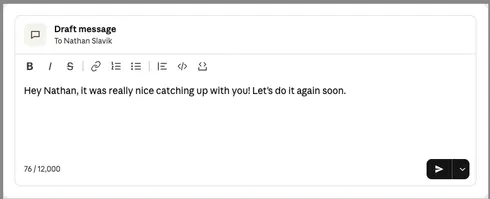
Available today for Gmail, Slack, and Outlook Mail
In addition to the email examples above from Gmail and Outlook, in our Slack composer, the message opens as a small web page inside your chat, and that page gives you a real editor. Change a word, bold a phrase, then press Send, or use the arrow beside Send to schedule it for later. The work you would normally do in a Slack tab happens in the chat, with the model you chose rather than whatever assistant ships inside Slack.
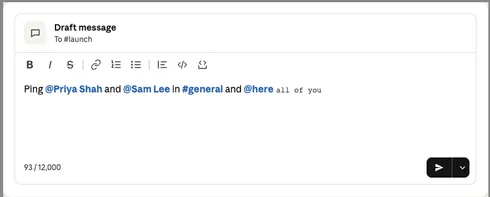
And if you’re worried about MCP Apps disrupting your existing agent routines, never fear. Human review matters in some workflows, but plenty of agent work runs on routines with nobody watching, and those routines should never stall waiting for a person. With Arcade, a nightly routine that drafts replies to every email you get, for example, keeps running, and you just open the app when you want to step in.
The interface follows your permissions
Arcade enforces authorization and governance on everything it does, and MCP Apps follow the same rules.
We built MCP Apps so the experience never differs from your access: you see and use the tools you can call. An app adapts to that set. If your toolset has no send tool, or a contextual access rule blocks you from calling it, the app has no Send button. You never spend two minutes polishing a draft you can’t send.
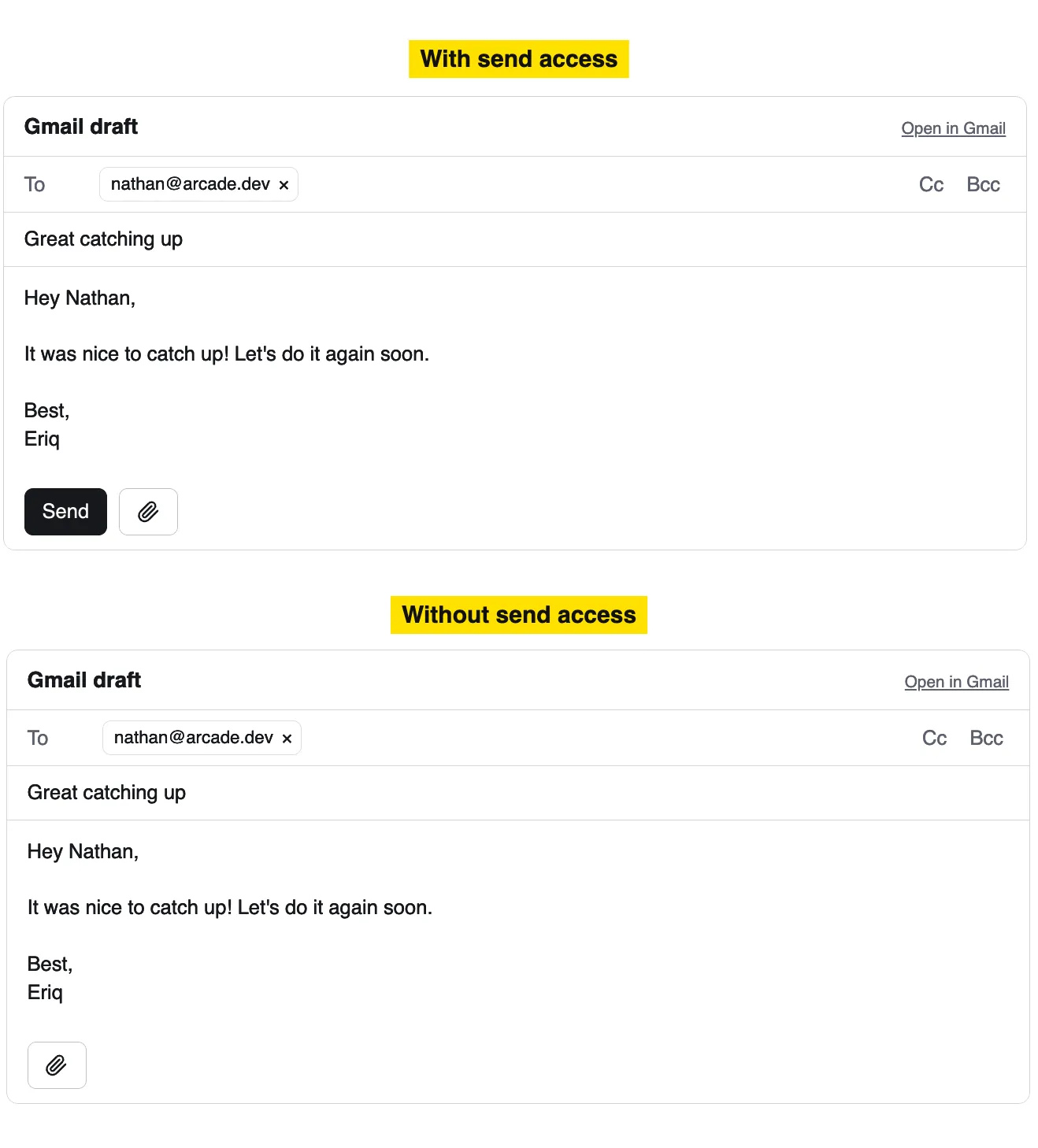
Whatever policy your security team sets applies to apps the way it applies to every other tool call. The check happens when the interface is built, and again when you click. It is the actions runtime enforcing policy at the point of action, now with a visual surface.
File uploads and downloads finally work
Uploads and downloads are typically hard for agents because MCP, as a protocol, doesn’t currently say how a client should recognize that a tool parameter is a file. Some clients have built their own workarounds, and an MCP working group is drafting this functionality as a standard.
In the meantime, MCP Apps sidestep the problem because their code runs on your machine. An app opens the familiar file picker, accepts a screenshot you drag in, and downloads large files straight to disk, so you can move files around just like you would on your desktop.
Uploads and downloads already work in our Slack, Gmail, and Outlook Mail apps. We plan to give every toolkit the same pattern.
Get started
If you’re already an Arcade user, you’re all set. Connect your Arcade tools to a client that supports MCP Apps, ask your agent to draft an email or send a Slack message, and edit it in place.
And if this is your first time here, join Arcade now for free. Or if you’re looking to deploy Arcade in an enterprise environment, talk to us about getting set up.


