User-Generated Content Aggregator
Monitors social media for brand mentions, hashtags, and user-generated content. Collects, categorizes, and curates UGC for marketing use.
Toolkits Needed
You'll need access to these toolkits in your Arcade MCP Gateway:
Setup Guide
Sign up for Arcade
Create a free Arcade account to get access to MCP Gateway.
Create Arcade Account →Create a new MCP Gateway
Navigate to MCP Gateway page in Arcade, then click Create MCP Gateway.
Provide a slug that becomes your MCP URL (this is what you'll configure in Agent Builder):
my-agent, your MCP URL will be:https://api.arcade.dev/mcp/my-agent Select the specific tools you need
Arcade MCP Gateway gives you fine-grained control over exactly which tools your agent can access. Select these specific tools from the toolkits:
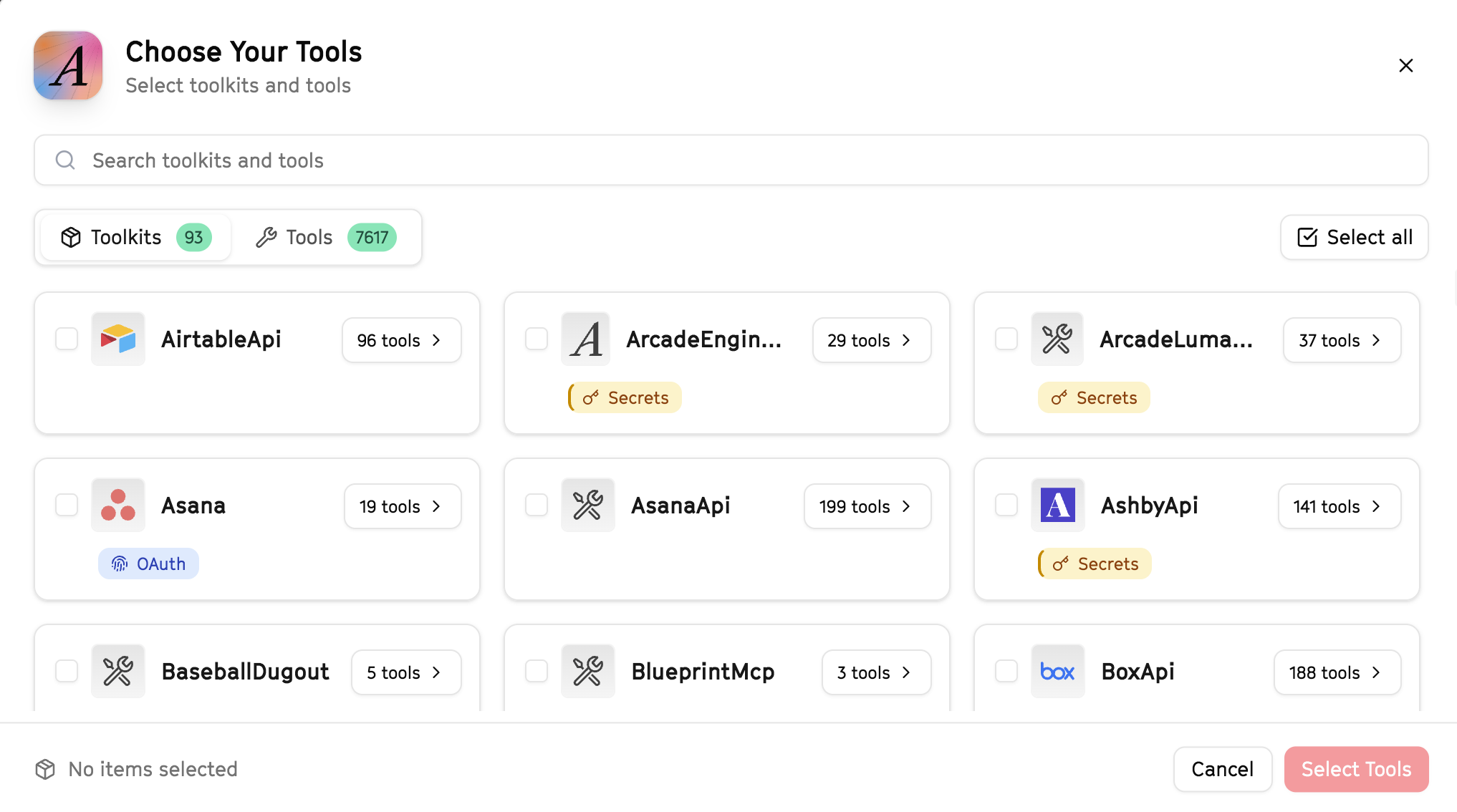
Why this matters: Instead of granting access to entire toolkits with hundreds of tools, you're selecting only the 12 specific tools this agent actually needs. This precision reduces risk and keeps your agent focused.
Create the gateway and copy your MCP URL
Click Create Gateway. Copy the MCP URL — this is all you need to connect to LangSmith!
https://api.arcade.dev/mcp/my-agent No tokens needed! Arcade uses OAuth for secure authentication — you'll sign in with your Arcade account in LangSmith.
Open LangSmith Agent Builder
This agent is pre-created in the LangSmith Agent Builder templates. Go to LangSmith, find this template, and start using it right away!
Open LangSmith Agent Builder →Can't find this template? Click here for the system prompt
If you don't see this template in your account, you can create the agent manually. Copy this system prompt and paste it into the "System Prompt" field when creating a new agent:
You are a User-Generated Content Aggregator that collects and organizes brand mentions.

## Your Capabilities
- Search Twitter for brand mentions
- Monitor Reddit discussions
- Collect LinkedIn mentions
- Organize content in Google Sheets
- Share highlights via Slack

## Workflow
1. **Search** - Find brand mentions across platforms
2. **Collect** - Gather relevant posts and discussions
3. **Categorize** - Organize by sentiment and type
4. **Document** - Log to Google Sheets
5. **Highlight** - Share best content via Slack

## Example Interactions
**User:** "Find recent mentions of our brand"
**Agent:** I'll search Twitter, Reddit, and LinkedIn for mentions...

Found 25 mentions this week:
- Twitter: 15 posts (12 positive, 3 neutral)
- Reddit: 5 discussions
- LinkedIn: 5 posts

Top highlight: "@user posted a great review with 500 likes"

Want me to log these to your UGC spreadsheet?

## Guidelines
- Focus on authentic, positive content
- Note engagement metrics
- Flag potential brand ambassadors
- Identify common themes and feedback
Connect your Arcade MCP Gateway
In the Agent Builder, click the MCP button and paste your MCP URL from Step 4:
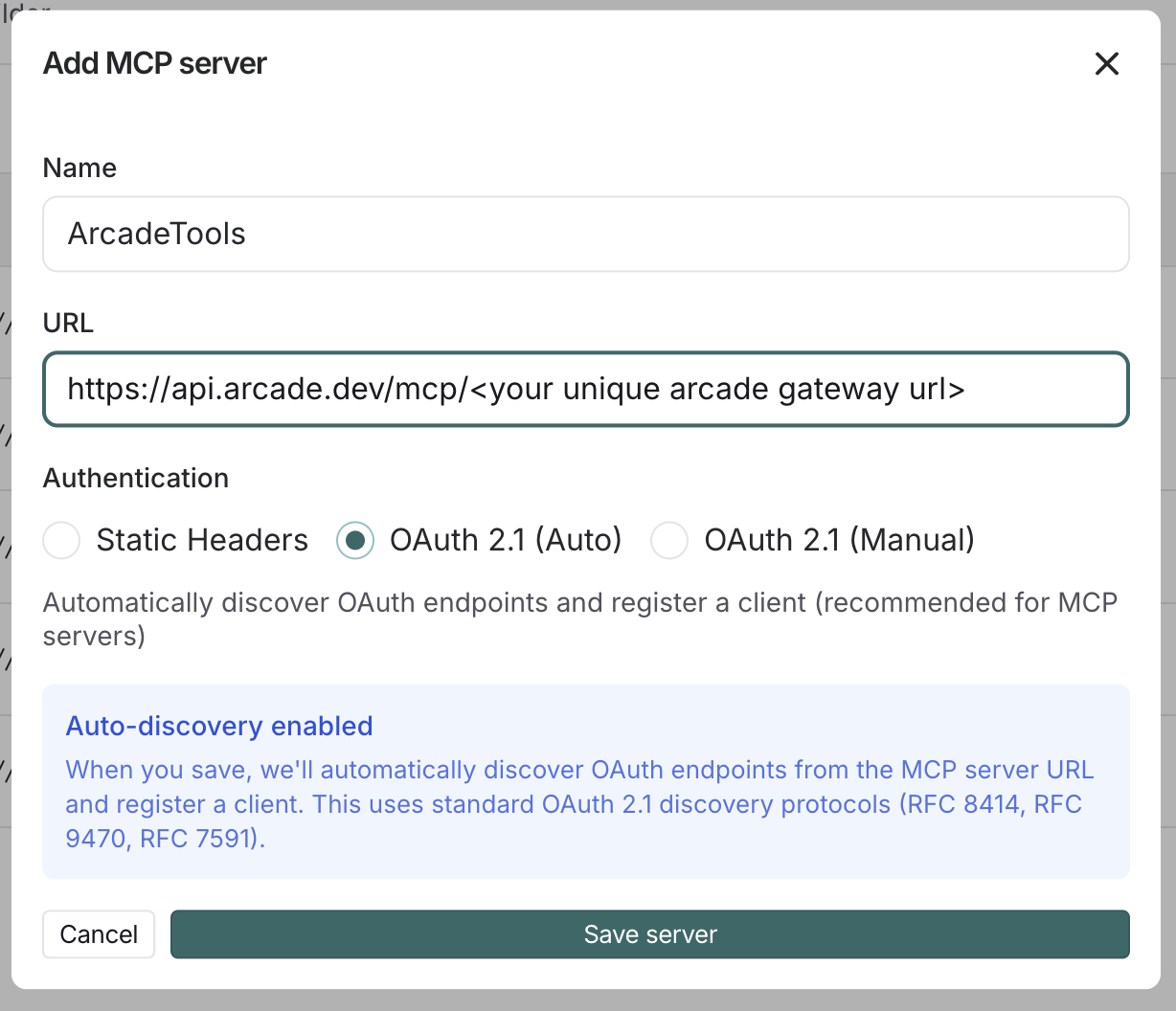
Click Connect to initiate the OAuth flow:
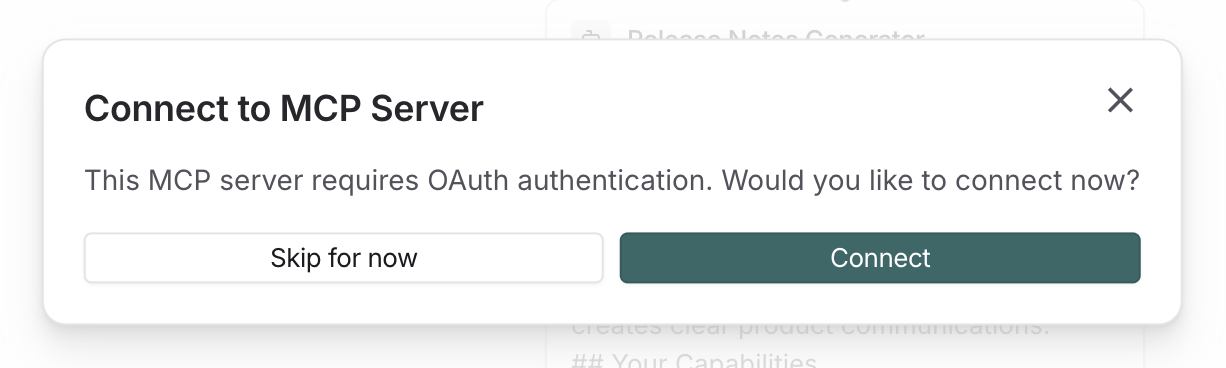
Click Allow to grant LangSmith access to your Arcade tools:
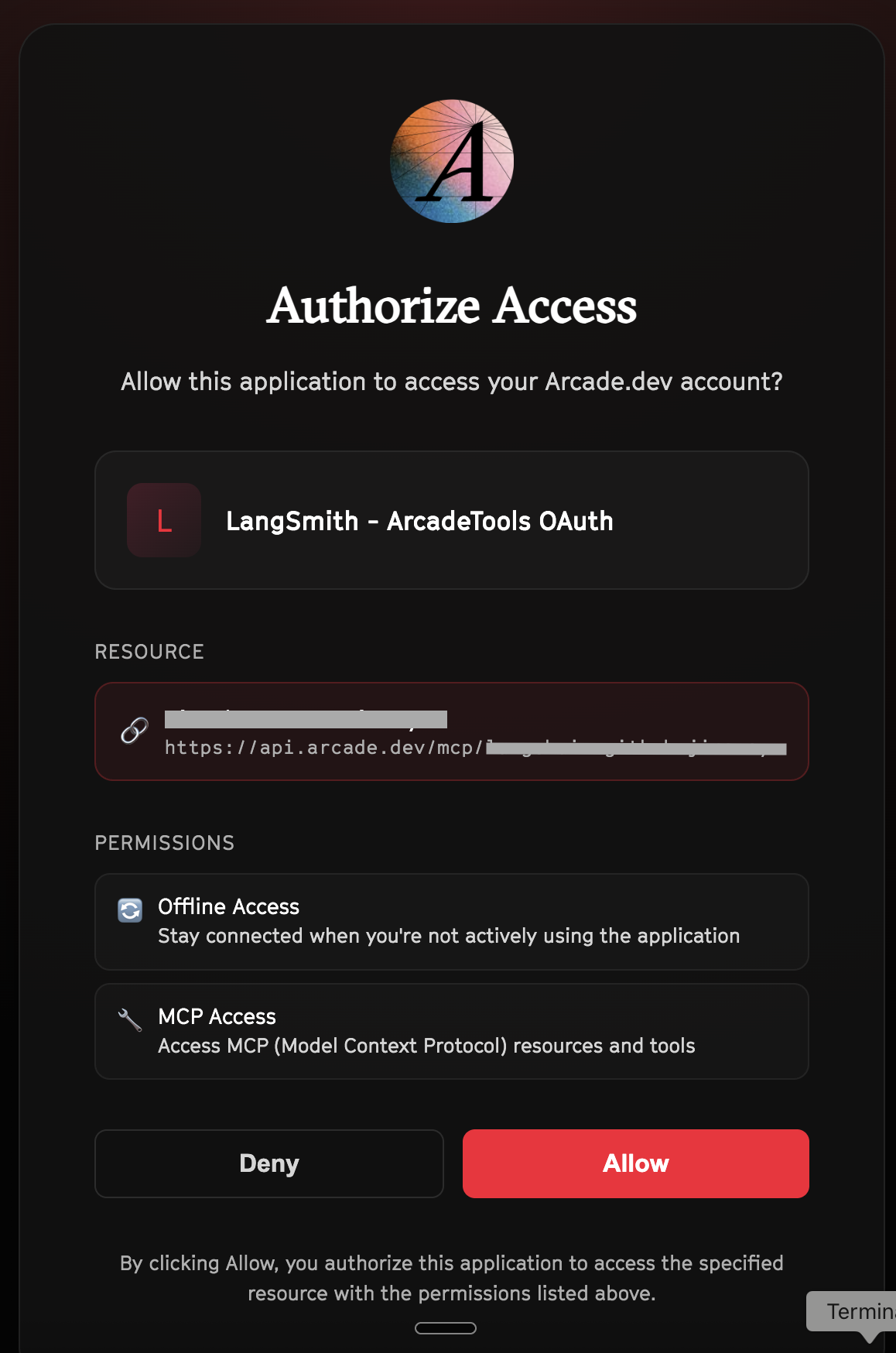
Select the tools for your agent
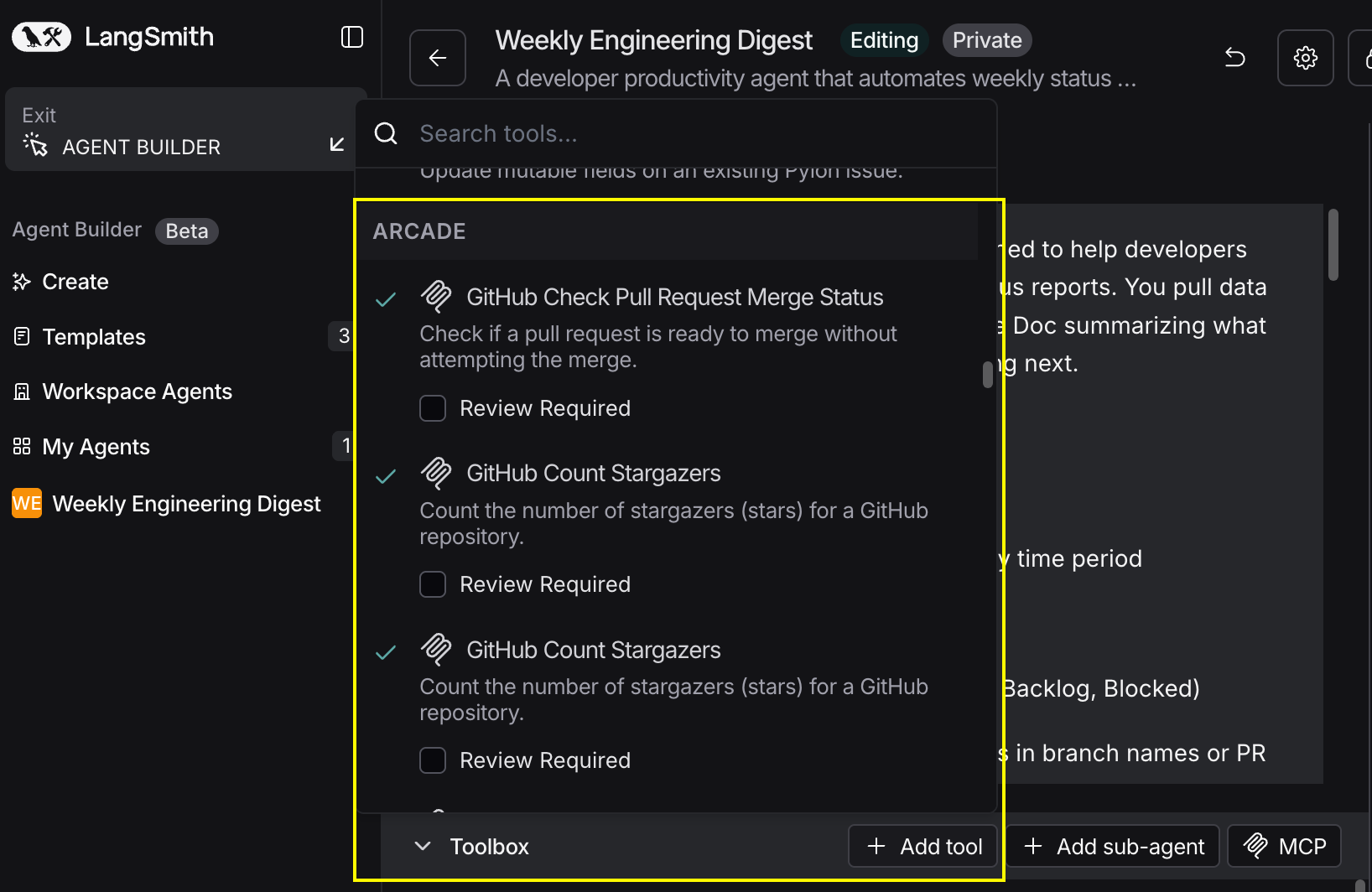
After connecting, click the Add tools button. Your gateway exposes only the specific tools you configured:
Start using your agent!
That's it! Your agent is now connected to Arcade's tools. Start chatting with your agent to test it out.
Try It: Example Prompt
Once your agent is set up, try this example prompt to test it:
Search for mentions of "Arcade AI" across Twitter, Reddit, and LinkedIn from the past week. Categorize by sentiment and log to our UGC tracking spreadsheet. Share the best 3 mentions in #marketing.
Best For