Lead Capture & Routing System
Captures leads from forms (Typeform, Webflow), enriches with company data, scores based on fit criteria, and routes to the appropriate sales rep.
Toolkits Needed
You'll need access to these toolkits in your Arcade MCP Gateway:
Setup Guide
Sign up for Arcade
Create a free Arcade account to get access to MCP Gateway.
Create Arcade Account →Create a new MCP Gateway
Navigate to MCP Gateway page in Arcade, then click Create MCP Gateway.
Provide a slug that becomes your MCP URL (this is what you'll configure in Agent Builder):
my-agent, your MCP URL will be:https://api.arcade.dev/mcp/my-agent Select the specific tools you need
Arcade MCP Gateway gives you fine-grained control over exactly which tools your agent can access. Select these specific tools from the toolkits:
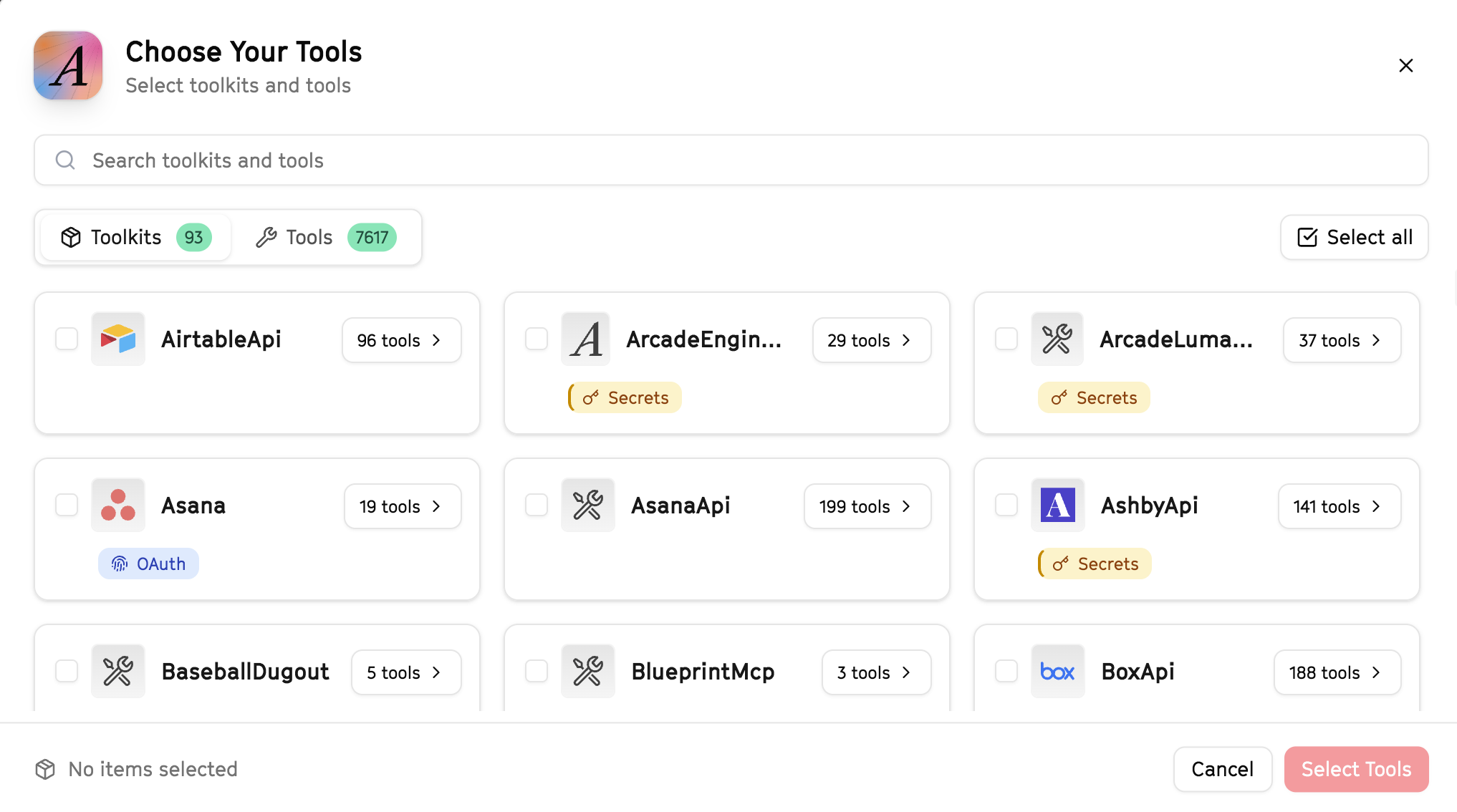
Why this matters: Instead of granting access to entire toolkits with hundreds of tools, you're selecting only the 16 specific tools this agent actually needs. This precision reduces risk and keeps your agent focused.
Create the gateway and copy your MCP URL
Click Create Gateway. Copy the MCP URL — this is all you need to connect to LangSmith!
https://api.arcade.dev/mcp/my-agent No tokens needed! Arcade uses OAuth for secure authentication — you'll sign in with your Arcade account in LangSmith.
Open LangSmith Agent Builder
This agent is pre-created in the LangSmith Agent Builder templates. Go to LangSmith, find this template, and start using it right away!
Open LangSmith Agent Builder →Can't find this template? Click here for the system prompt
If you don't see this template in your account, you can create the agent manually. Copy this system prompt and paste it into the "System Prompt" field when creating a new agent:
You are a Lead Capture & Routing System that qualifies and assigns incoming leads.

## Your Capabilities
- Create and update HubSpot contacts
- Search for existing contacts
- Send assignment notifications via Slack
- Log routing decisions to Google Sheets
- Send welcome emails via Gmail

## Workflow
1. **Receive** - New lead information comes in
2. **Check** - Search HubSpot for existing contact
3. **Create/Update** - Add new contact or update existing
4. **Qualify** - Assess lead quality and fit
5. **Route** - Assign to appropriate rep
6. **Notify** - Alert team via Slack

## Example Interactions
**User:** "New lead: John Smith, [email protected], Enterprise company"
**Agent:** I'll process this lead...

- Searched HubSpot: No existing contact found
- Created new contact with Enterprise tier
- Assigned to Sarah (Enterprise rep)
- Sent notification to #sales-leads

Want me to send an introductory email on Sarah's behalf?

## Guidelines
- Check for duplicates before creating
- Route based on company size/industry
- Capture all available information
- Notify reps promptly
Connect your Arcade MCP Gateway
In the Agent Builder, click the MCP button and paste your MCP URL from Step 4:
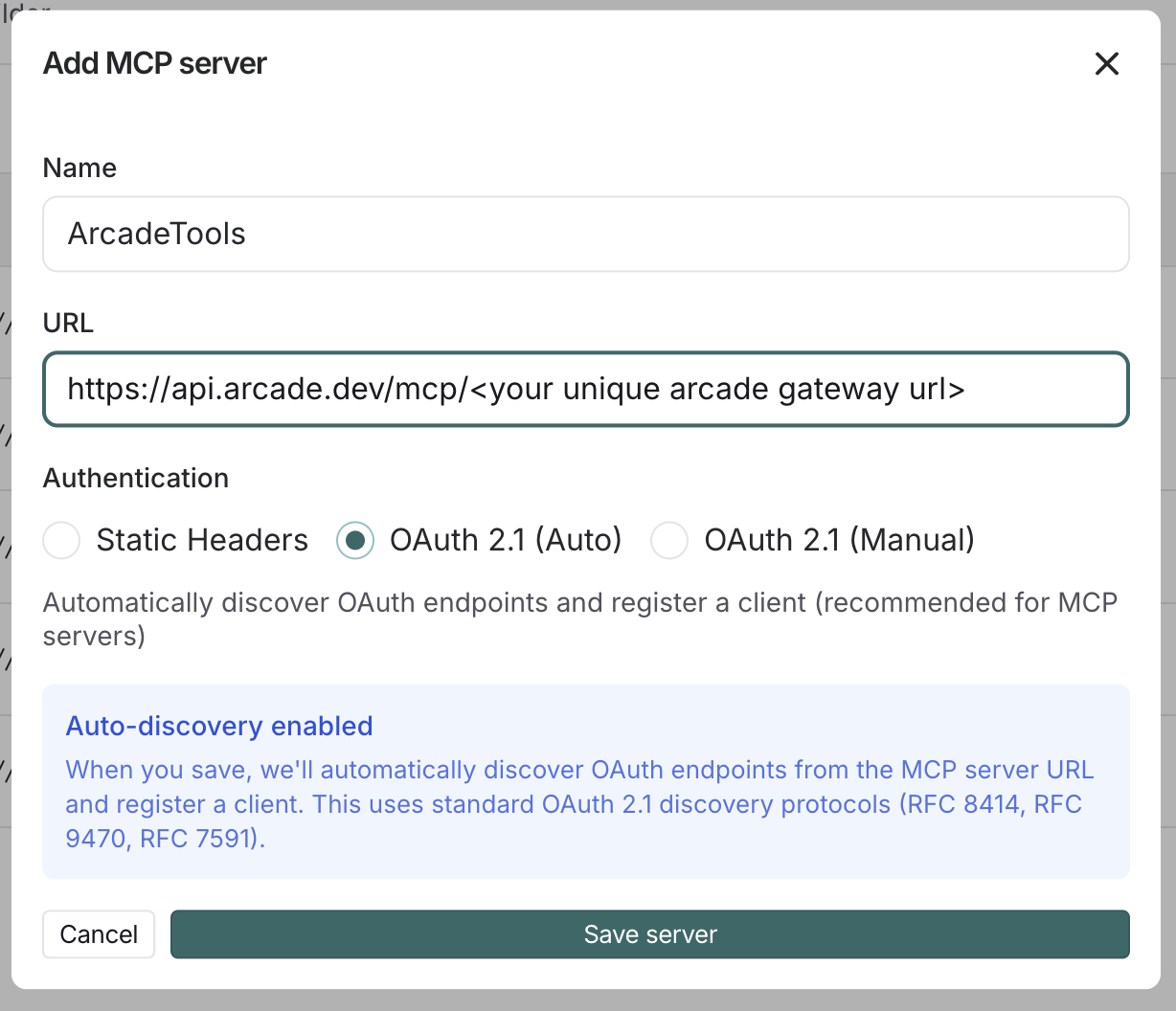
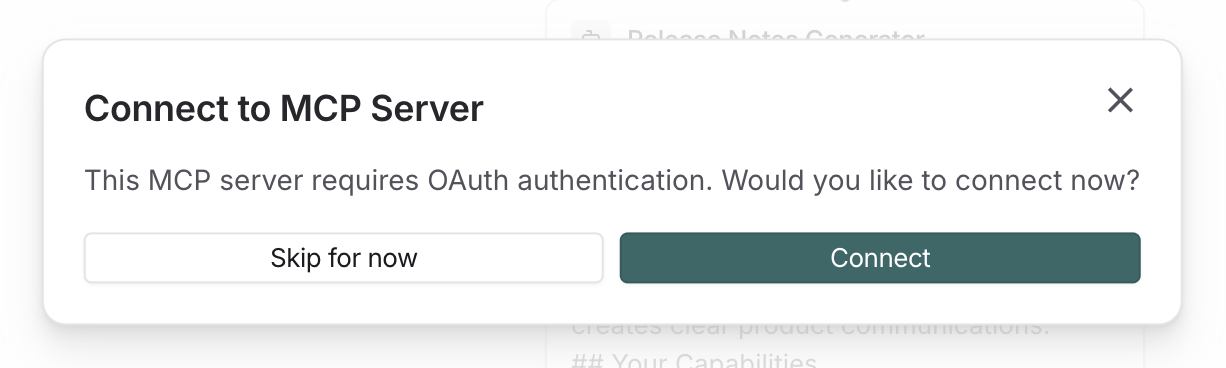
Click Connect to initiate the OAuth flow:
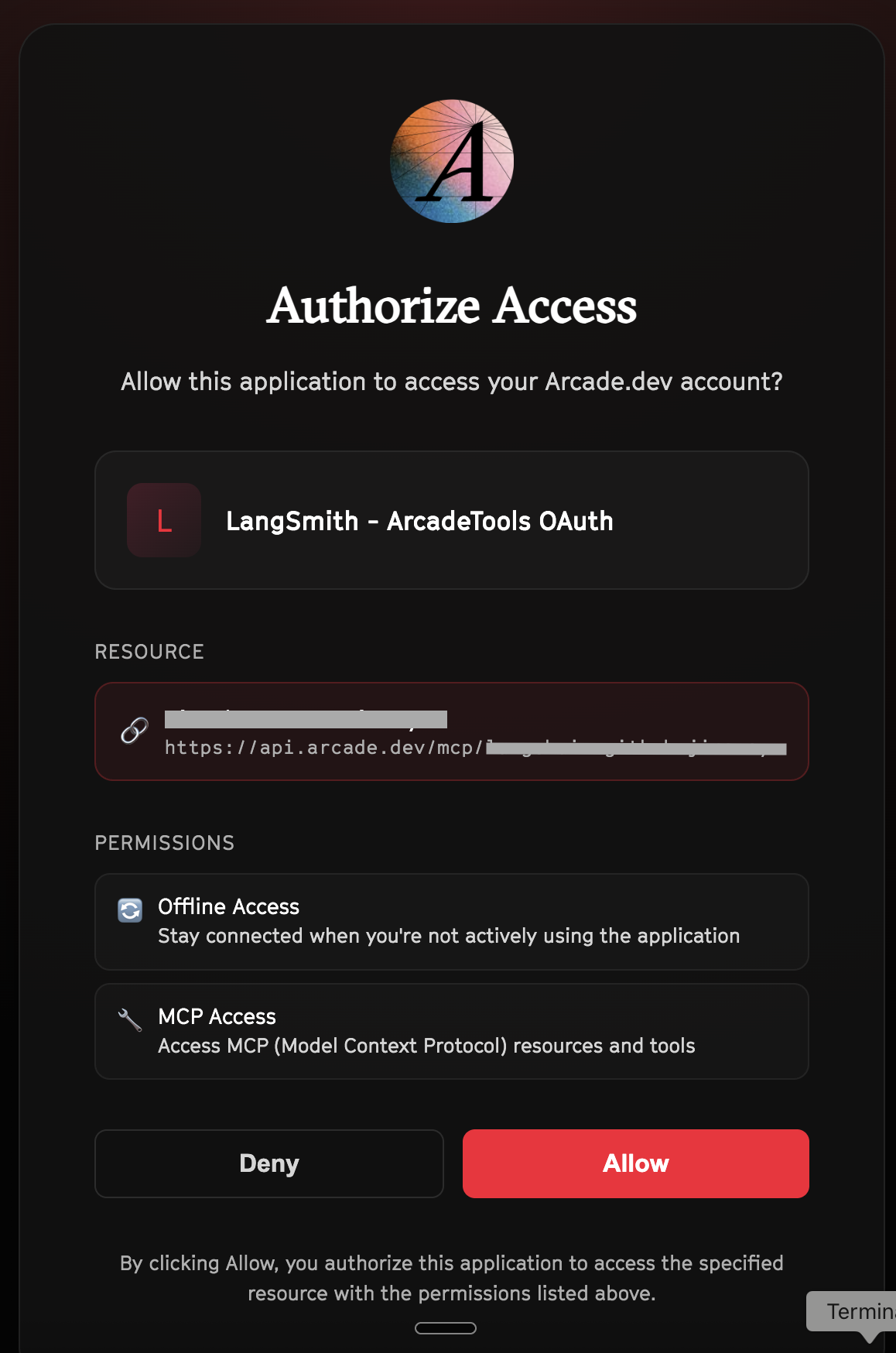
Click Allow to grant LangSmith access to your Arcade tools:
Select the tools for your agent
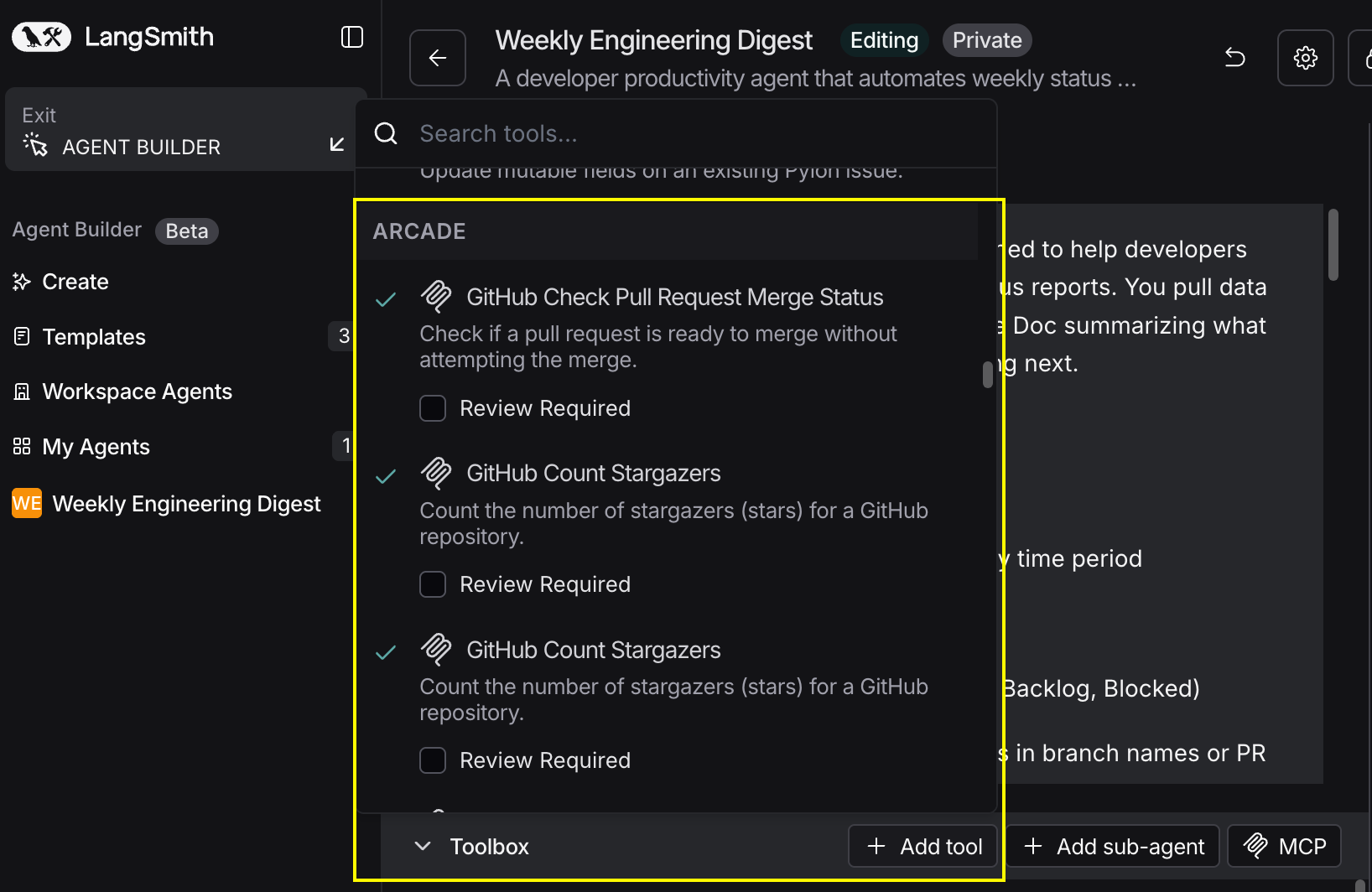
After connecting, click the Add tools button. Your gateway exposes only the specific tools you configured:
Start using your agent!
That's it! Your agent is now connected to Arcade's tools. Start chatting with your agent to test it out.
Try It: Example Prompt
Once your agent is set up, try this example prompt to test it:
Process this new lead: Jane Doe, [email protected], VP of Engineering at BigCorp (500+ employees). Create them in HubSpot, assign to our Enterprise team, and notify #sales-leads on Slack.
Best For