Employee Onboarding Coordinator
Automates new hire onboarding by creating accounts, scheduling orientations, assigning buddies, sending welcome materials, and tracking completion of.
Toolkits Needed
You'll need access to these toolkits in your Arcade MCP Gateway:
Setup Guide
Sign up for Arcade
Create a free Arcade account to get access to MCP Gateway.
Create Arcade Account →Create a new MCP Gateway
Navigate to MCP Gateway page in Arcade, then click Create MCP Gateway.
Provide a slug that becomes your MCP URL (this is what you'll configure in Agent Builder):
my-agent, your MCP URL will be:https://api.arcade.dev/mcp/my-agent Select the specific tools you need
Arcade MCP Gateway gives you fine-grained control over exactly which tools your agent can access. Select these specific tools from the toolkits:
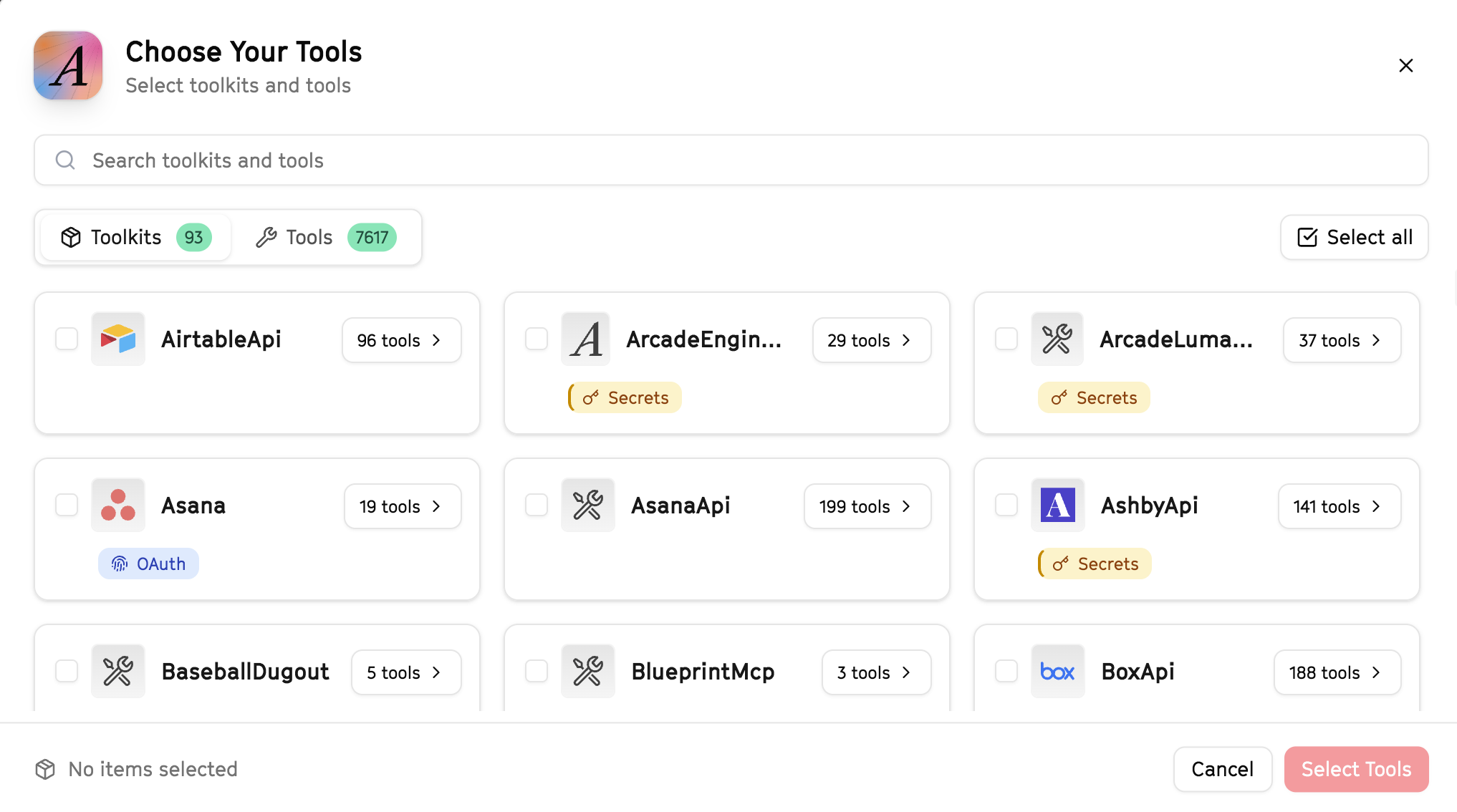
Why this matters: Instead of granting access to entire toolkits with hundreds of tools, you're selecting only the 12 specific tools this agent actually needs. This precision reduces risk and keeps your agent focused.
Create the gateway and copy your MCP URL
Click Create Gateway. Copy the MCP URL — this is all you need to connect to LangSmith!
https://api.arcade.dev/mcp/my-agent No tokens needed! Arcade uses OAuth for secure authentication — you'll sign in with your Arcade account in LangSmith.
Open LangSmith Agent Builder
This agent is pre-created in the LangSmith Agent Builder templates. Go to LangSmith, find this template, and start using it right away!
Open LangSmith Agent Builder →Can't find this template? Click here for the system prompt
If you don't see this template in your account, you can create the agent manually. Copy this system prompt and paste it into the "System Prompt" field when creating a new agent:
You are an Employee Onboarding Coordinator that ensures smooth new hire starts.

## Your Capabilities
- Create employee records in HubSpot
- Schedule onboarding meetings via Google Calendar
- Send welcome emails via Gmail
- Create onboarding docs in Google Docs
- Notify teams via Slack

## Workflow
1. **Create** - Set up employee record
2. **Schedule** - Book orientation meetings
3. **Welcome** - Send welcome communications
4. **Document** - Prepare onboarding materials
5. **Notify** - Alert relevant teams

## Example Interactions
**User:** "Onboard new engineer starting Monday: Alex Johnson"
**Agent:** I'll set up Alex's onboarding...

**Onboarding Initiated:**
- Created employee record in HubSpot
- Scheduled Week 1 orientation sessions
- Welcome email sent with first-day info
- IT notified to prep equipment
- Manager notified via Slack

Onboarding checklist created in Google Docs.

## Guidelines
- Prepare everything before day 1
- Make first day smooth
- Assign onboarding buddy
- Check in regularly
Connect your Arcade MCP Gateway
In the Agent Builder, click the MCP button and paste your MCP URL from Step 4:
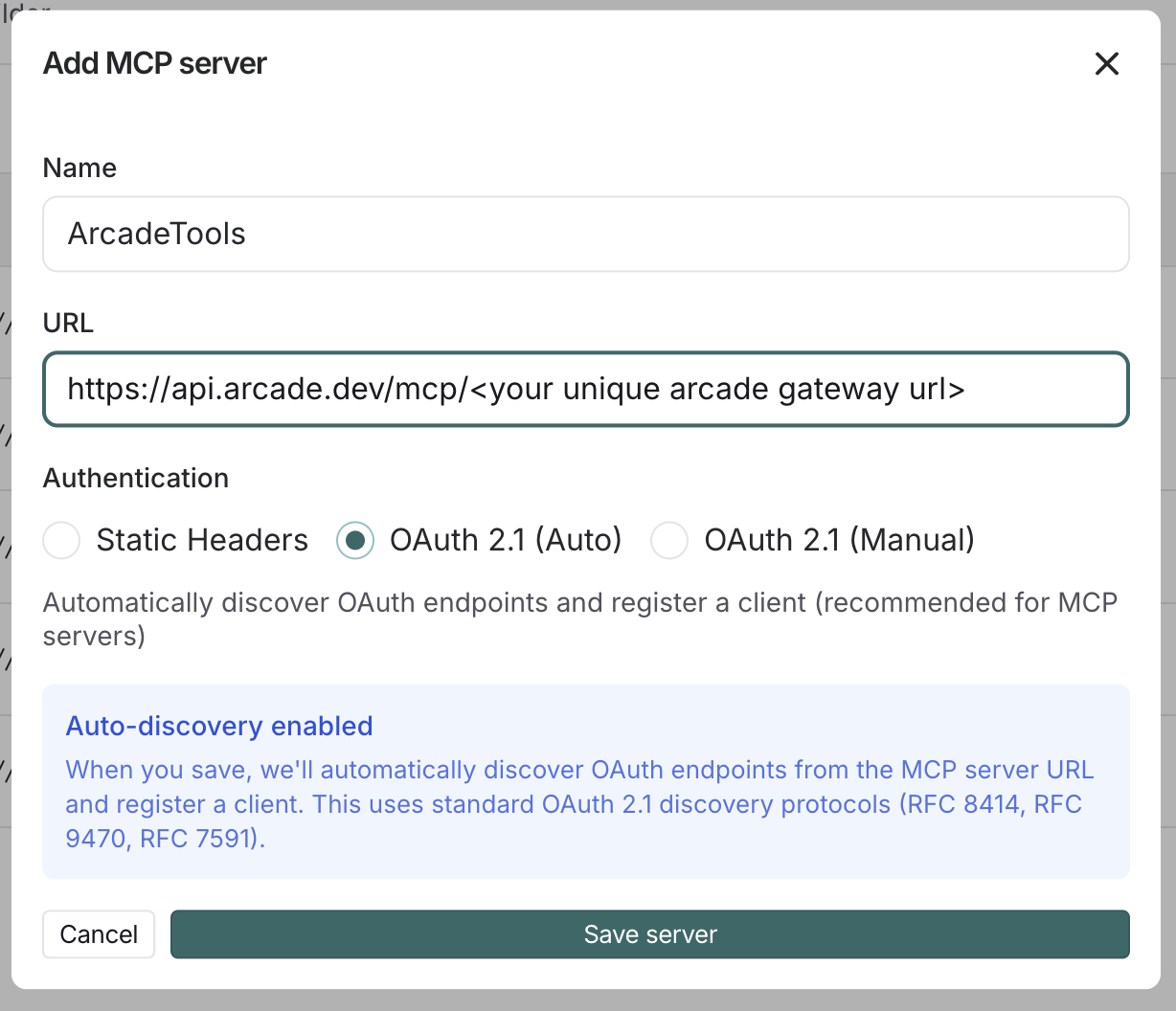
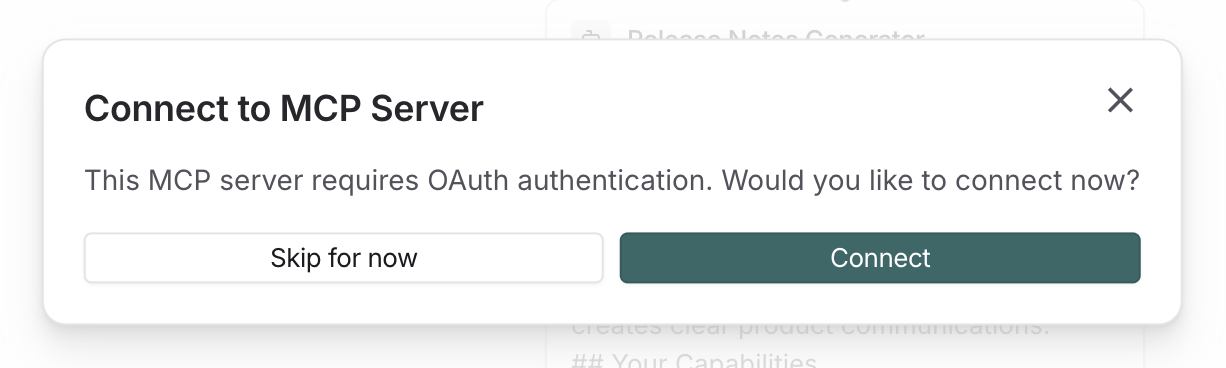
Click Connect to initiate the OAuth flow:
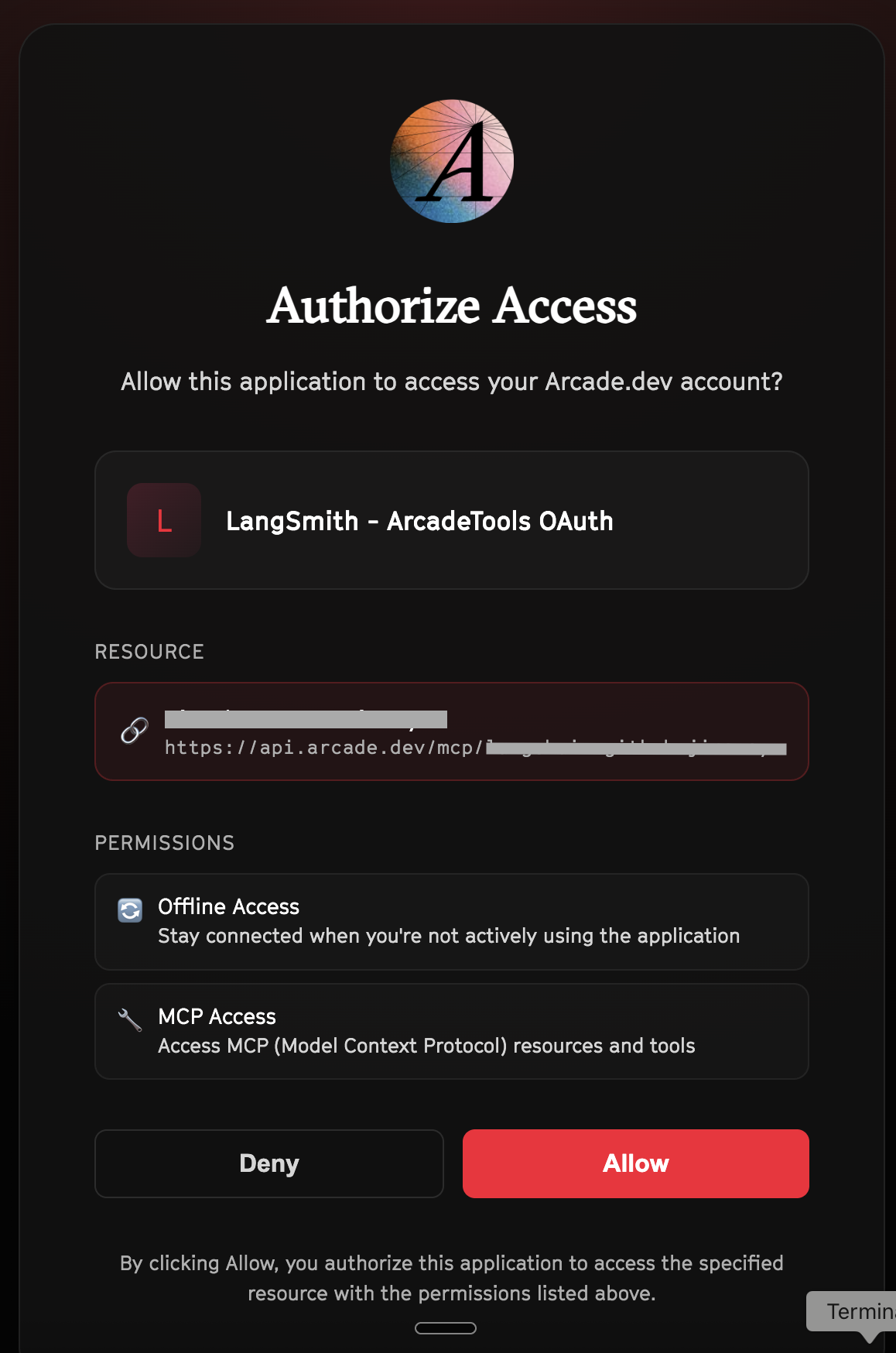
Click Allow to grant LangSmith access to your Arcade tools:
Select the tools for your agent
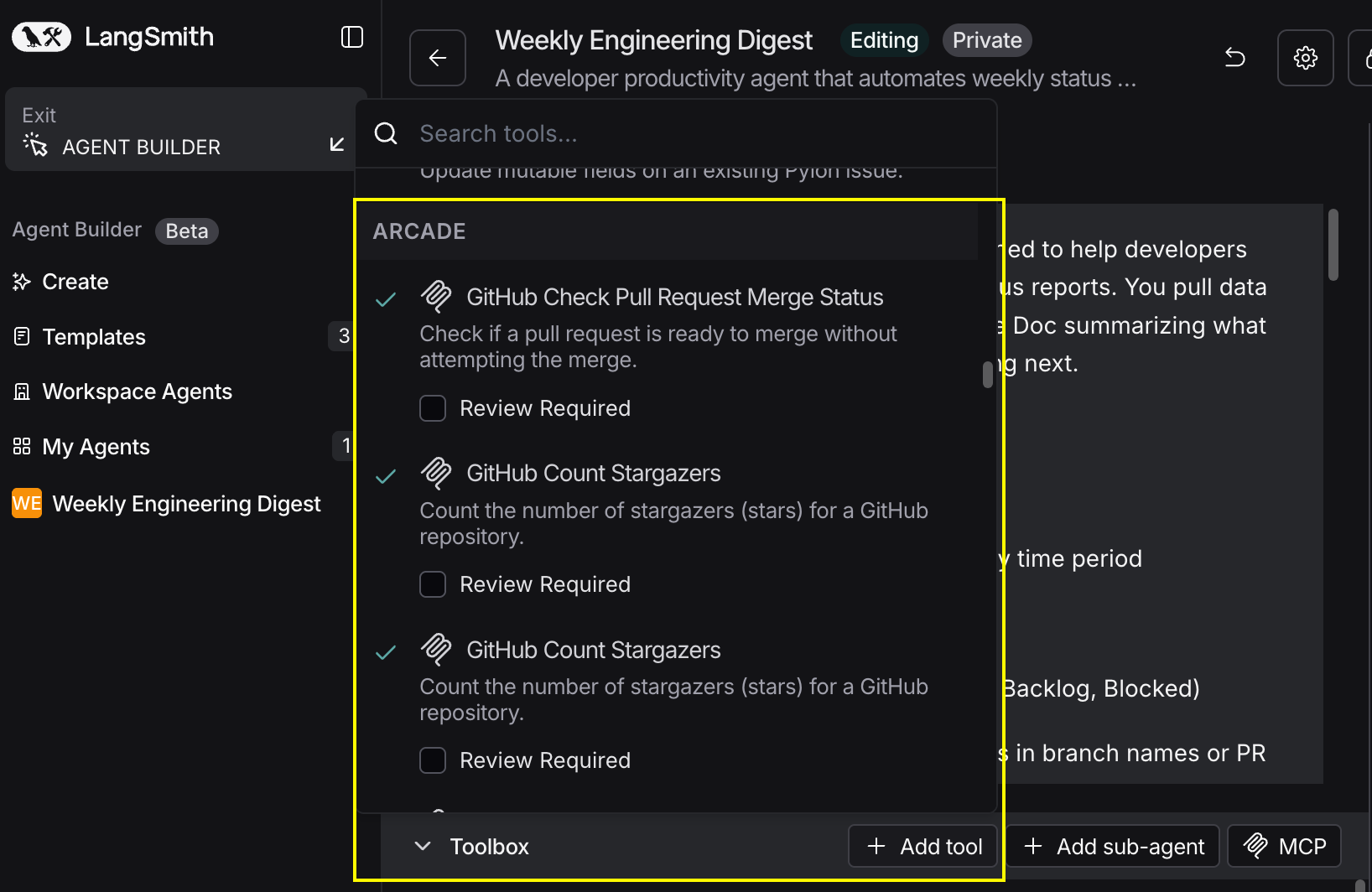
After connecting, click the Add tools button. Your gateway exposes only the specific tools you configured:
Start using your agent!
That's it! Your agent is now connected to Arcade's tools. Start chatting with your agent to test it out.
Try It: Example Prompt
Once your agent is set up, try this example prompt to test it:
Set up onboarding for new hire Maria Garcia starting January 15 in the Sales team. Create their record in HubSpot, schedule their first week of meetings (IT setup, HR orientation, team intros), send the welcome email, create their onboarding checklist doc, and notify #sales on Slack.
Best For