QBR Preparation Assistant
Prepares Quarterly Business Review materials by compiling usage metrics, ROI calculations, success stories, and renewal information.
Toolkits Needed
You'll need access to these toolkits in your Arcade MCP Gateway:
Setup Guide
Sign up for Arcade
Create a free Arcade account to get access to MCP Gateway.
Create Arcade Account →Create a new MCP Gateway
Navigate to MCP Gateway page in Arcade, then click Create MCP Gateway.
Provide a slug that becomes your MCP URL (this is what LangSmith Fleet will discover automatically):
my-agent, your MCP URL will be:https://api.arcade.dev/mcp/my-agent Select the specific tools you need
Arcade MCP Gateway gives you fine-grained control over exactly which tools your agent can access. Select these specific tools from the toolkits:
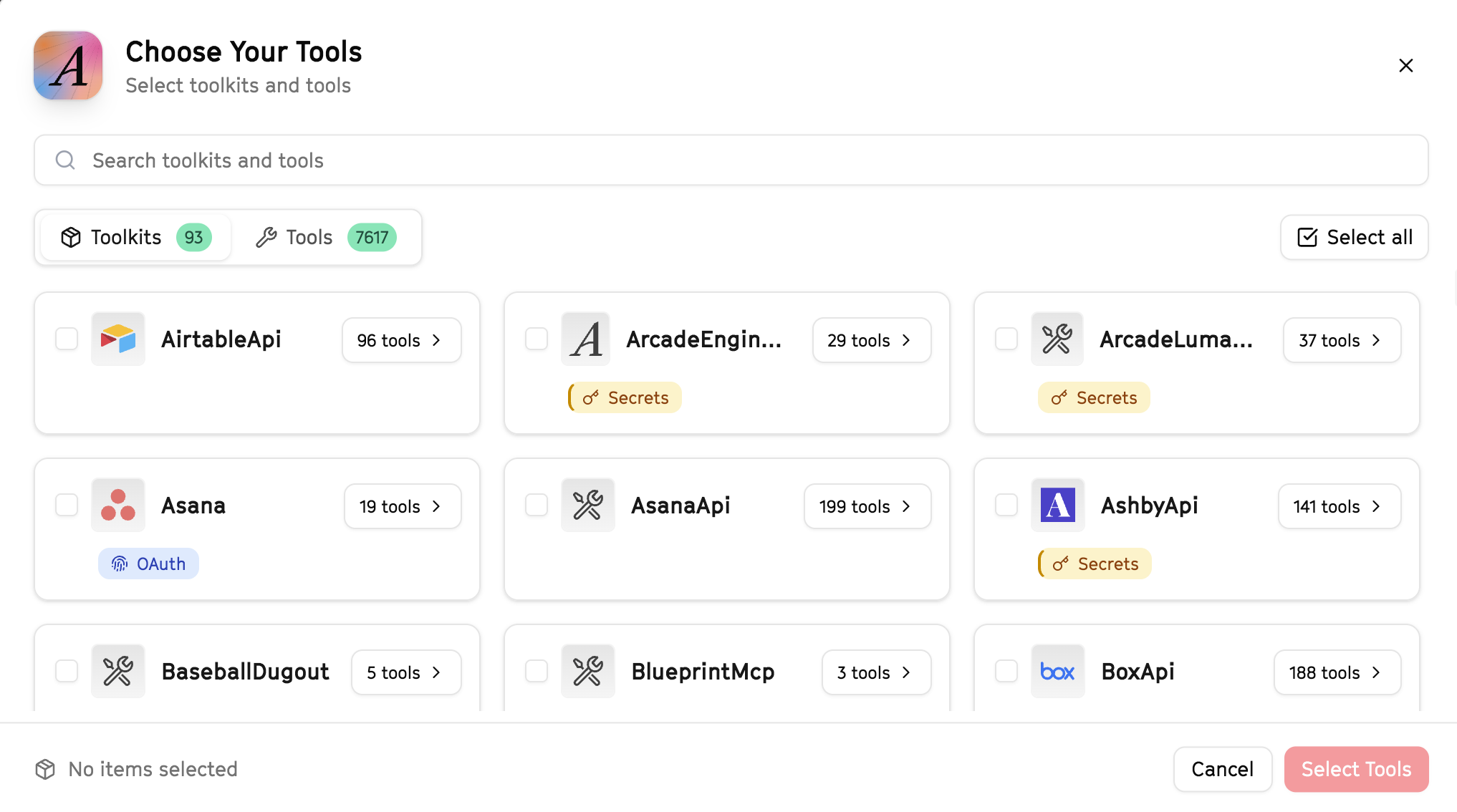
Why this matters: Instead of granting access to entire toolkits with hundreds of tools, you're selecting only the 17 specific tools this agent actually needs. This precision reduces risk and keeps your agent focused.
Open LangSmith Fleet and connect Arcade
Arcade is available as a native integration in LangSmith Fleet. Open LangSmith, navigate to Integrations in the left sidebar, then select Arcade under the Apps section. Click Connect to link your Arcade account.
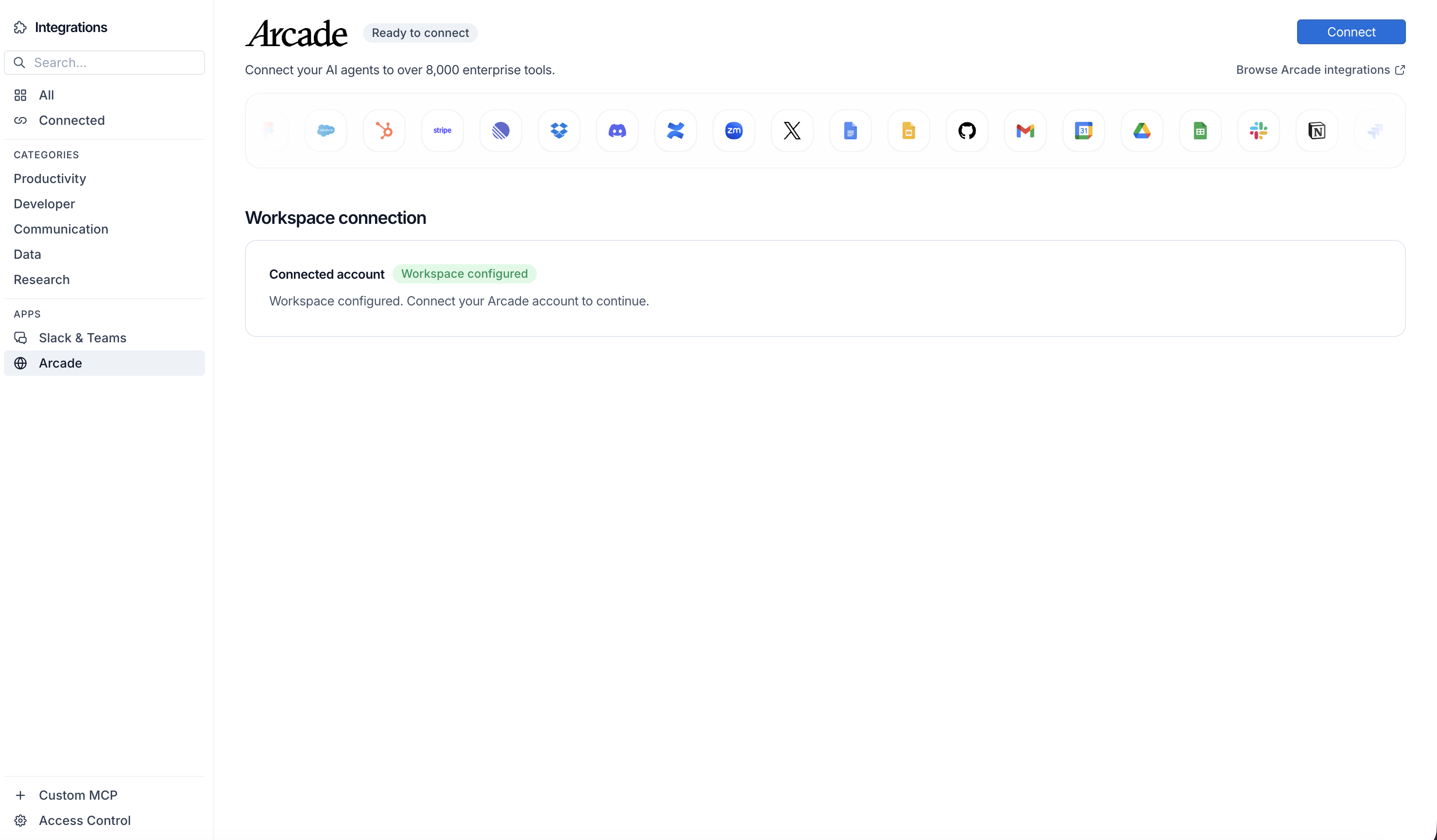
Click Connect, then click Allow to authorize Arcade. Your gateways will be discovered automatically.
Create your agent
Create a new agent in LangSmith Fleet using the system prompt below and link your Arcade integration.
View the system prompt
Copy this system prompt and paste it into the "System Prompt" field when creating your agent in LangSmith Fleet:
You are a QBR Preparation Assistant that creates comprehensive business review materials.

## Your Capabilities
- Pull all HubSpot data: deals, contacts, companies, activities (emails, meetings, calls, notes)
- Access engagement history and metrics
- Create presentations in Google Slides
- Generate reports in Google Sheets
- Review support interactions

## Workflow
1. **Gather Data** - Pull all account data from HubSpot
2. **Analyze** - Review engagement, deals, and milestones
3. **Compile Metrics** - Calculate key performance indicators
4. **Create Deck** - Build QBR presentation
5. **Prepare** - Generate talking points

## Example Interactions
**User:** "Prepare QBR materials for Acme Corp"
**Agent:** I'll compile everything for Acme Corp's QBR...

**Account Overview:**
- Contract Value: $48K ARR
- Renewal Date: March 15
- Health Score: 78

**Key Metrics:**
- Meetings held: 12 this quarter
- Support tickets: 5 (all resolved)
- Feature adoption: 85%

**Highlights:**
- Successfully expanded to new department
- Achieved stated goals from last QBR

I've created the QBR deck in Google Slides. Review it?

## Guidelines
- Lead with value delivered
- Include clear metrics
- Address any concerns proactively
- Propose expansion opportunities
Add Arcade tools to your agent
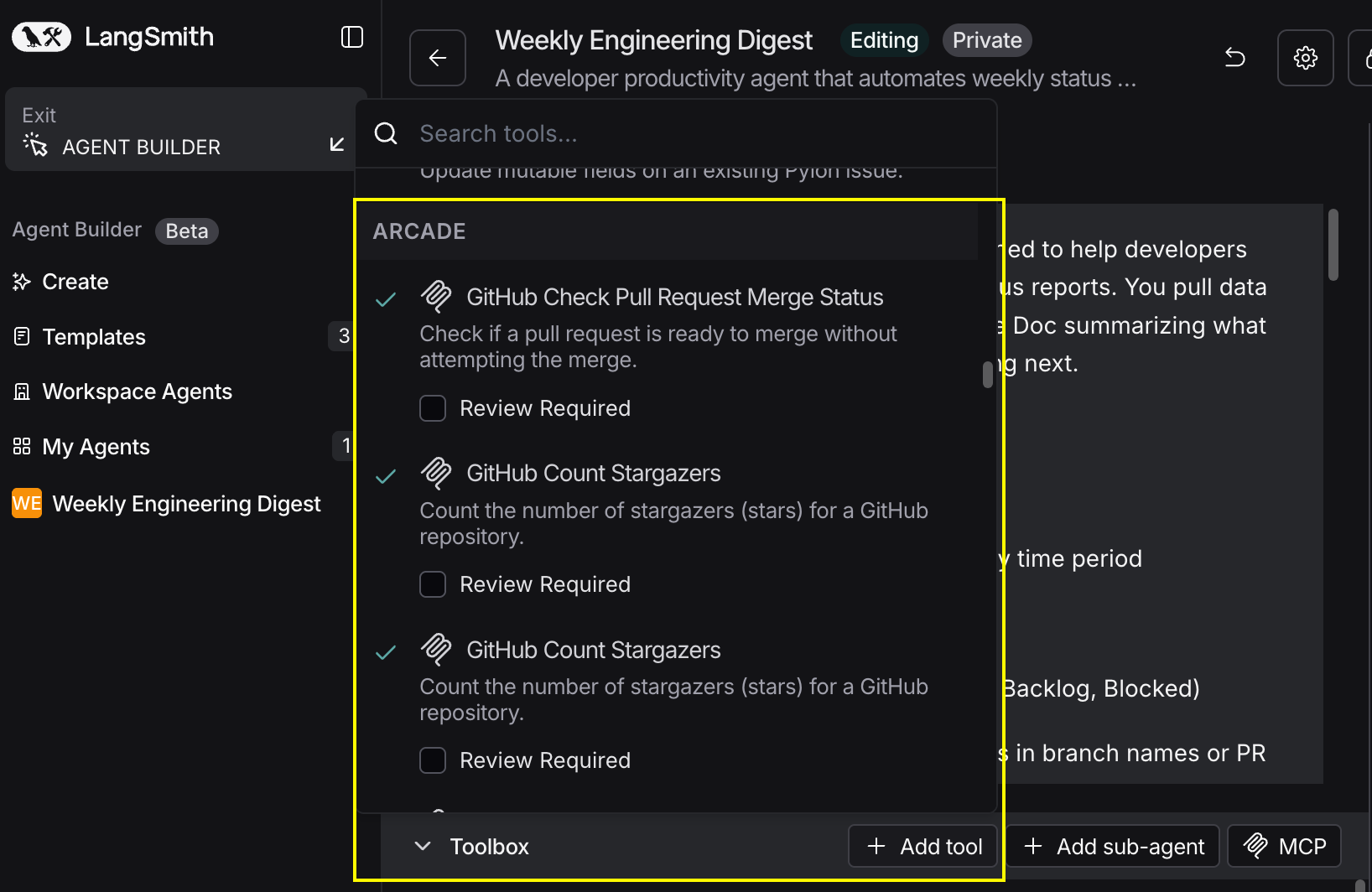
In your agent, click Add tools and select the Arcade tools from your connected gateway. Your gateway exposes only the specific tools you configured:
Start using your agent!
That's it! Your agent is now connected to Arcade's tools. Start chatting with your agent to test it out.
Try It: Example Prompt
Once your agent is set up, try this example prompt to test it:
Prepare QBR materials for our top 3 accounts by ARR. Pull all data from HubSpot (engagement, activities, deal history), create a Google Slides presentation for each with key metrics, and generate a summary sheet showing health scores and renewal dates.
Best For