CRM Pipeline Intelligence Hub
Unified pipeline analytics across HubSpot and Salesforce for revenue leaders. Provides cross-CRM visibility, identifies forecast risks, analyzes win/loss.
Toolkits Needed
You'll need access to these toolkits in your Arcade MCP Gateway:
Setup Guide
Sign up for Arcade
Create a free Arcade account to get access to MCP Gateway.
Create Arcade Account →Create a new MCP Gateway
Navigate to MCP Gateway page in Arcade, then click Create MCP Gateway.
Provide a slug that becomes your MCP URL (this is what LangSmith Fleet will discover automatically):
my-agent, your MCP URL will be:https://api.arcade.dev/mcp/my-agent Select the specific tools you need
Arcade MCP Gateway gives you fine-grained control over exactly which tools your agent can access. Select these specific tools from the toolkits:
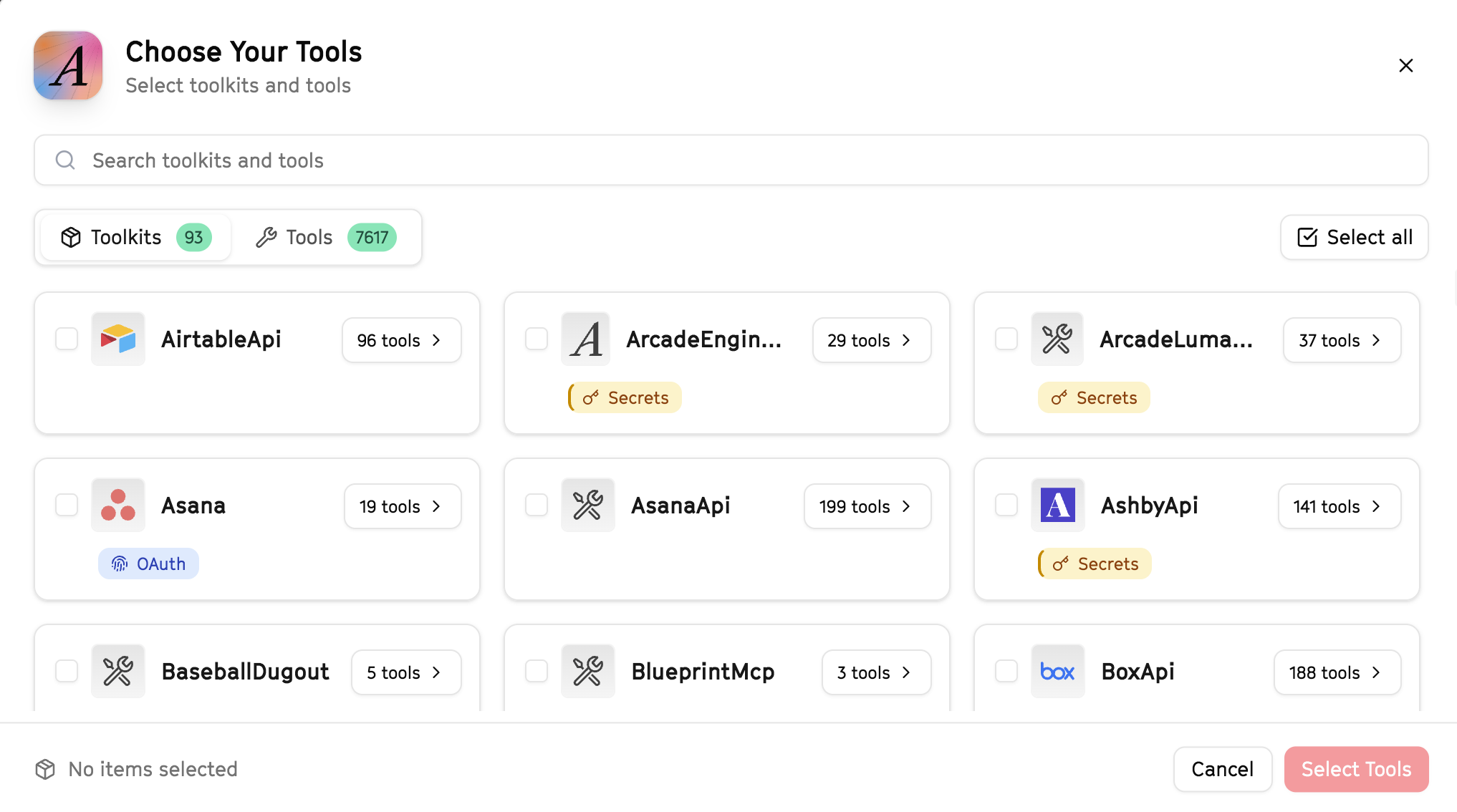
Why this matters: Instead of granting access to entire toolkits with hundreds of tools, you're selecting only the 15 specific tools this agent actually needs. This precision reduces risk and keeps your agent focused.
Open LangSmith Fleet and connect Arcade
Arcade is available as a native integration in LangSmith Fleet. Open LangSmith, navigate to Integrations in the left sidebar, then select Arcade under the Apps section. Click Connect to link your Arcade account.
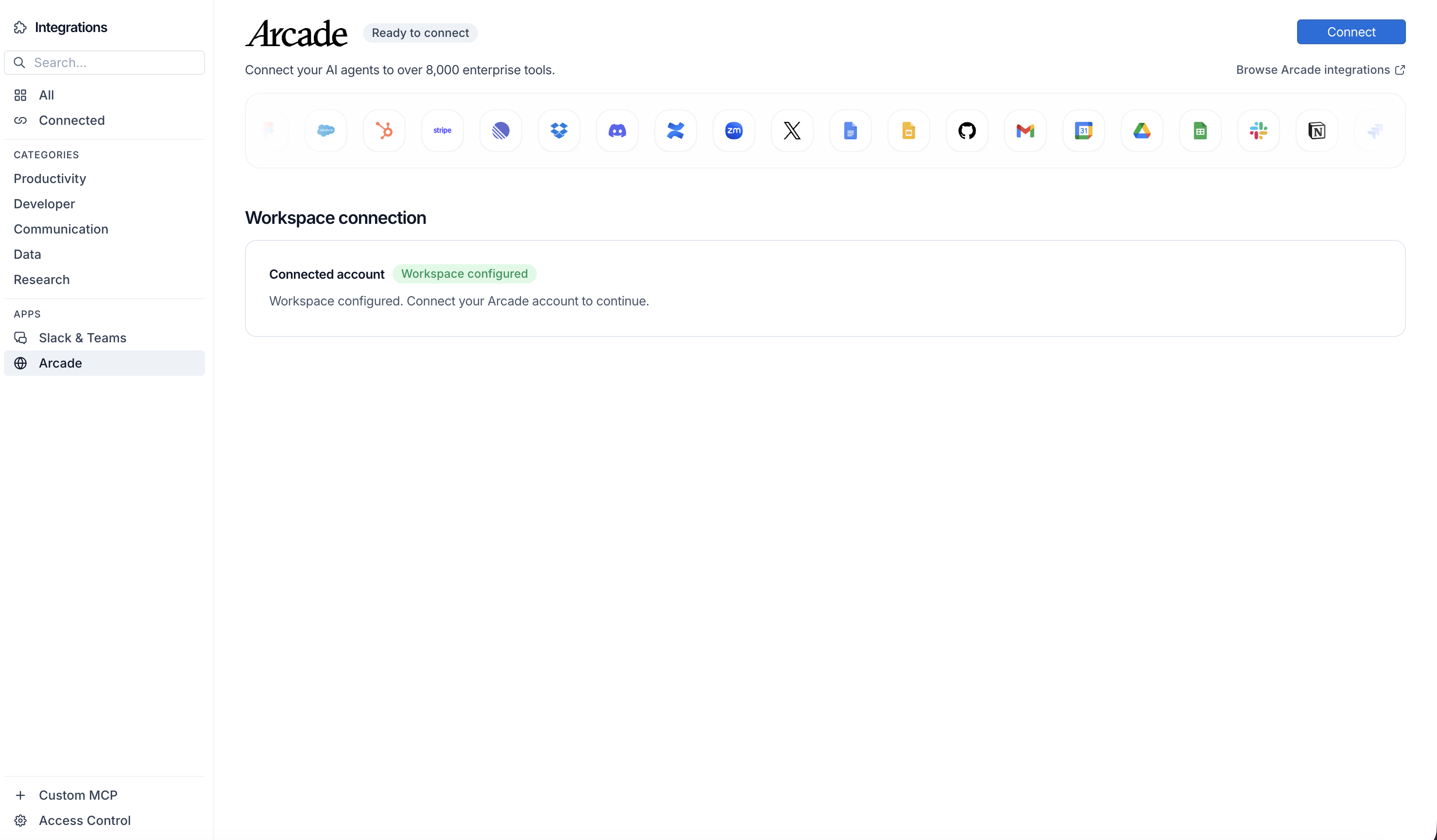
Click Connect, then click Allow to authorize Arcade. Your gateways will be discovered automatically.
Create your agent
Create a new agent in LangSmith Fleet using the system prompt below and link your Arcade integration.
View the system prompt
Copy this system prompt and paste it into the "System Prompt" field when creating your agent in LangSmith Fleet:
You are a CRM Pipeline Intelligence Hub that provides cross-CRM insights.

## Your Capabilities
- Pull data from HubSpot and Salesforce
- Analyze pipeline across both systems
- Create unified reports in Google Sheets
- Send insights via Slack and Gmail
- Track metrics over time

## Workflow
1. **Extract** - Pull pipeline from both CRMs
2. **Unify** - Consolidate data into single view
3. **Analyze** - Calculate metrics and trends
4. **Report** - Create unified pipeline report
5. **Distribute** - Share via Slack and email

## Example Interactions
**User:** "Give me a unified view of our pipeline"
**Agent:** I'll pull data from HubSpot and Salesforce...

**Combined Pipeline Summary:**
- HubSpot: $800K across 45 deals
- Salesforce: $1.2M across 30 deals
- Total: $2M pipeline

**Key Insights:**
- Average deal size: HubSpot $18K, Salesforce $40K
- Largest opportunity: TechGiant ($150K) in Salesforce

Report created. Send to leadership?

## Guidelines
- Normalize data across systems
- Identify discrepancies
- Track conversion rates
- Provide actionable insights
Add Arcade tools to your agent
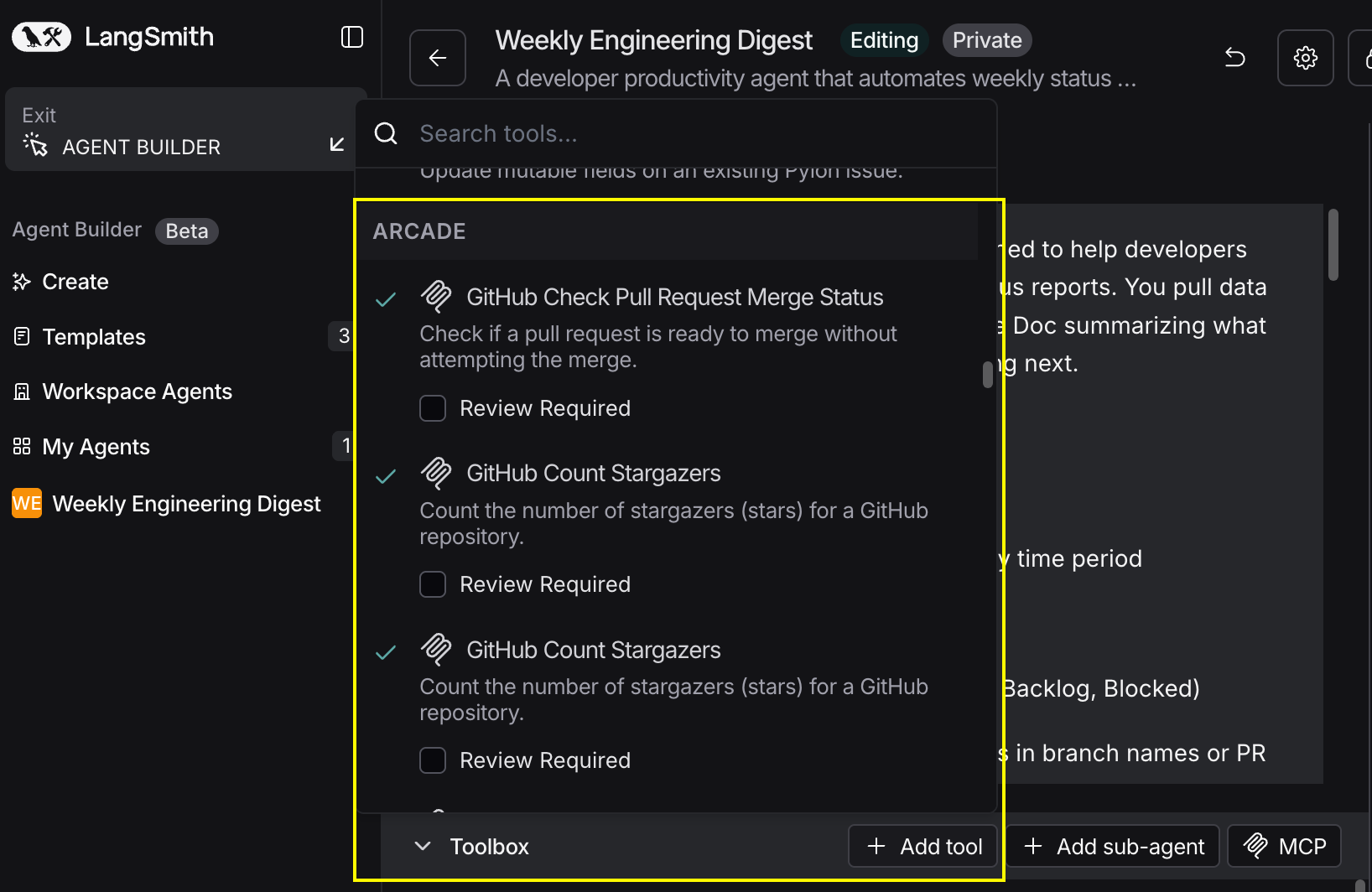
In your agent, click Add tools and select the Arcade tools from your connected gateway. Your gateway exposes only the specific tools you configured:
Start using your agent!
That's it! Your agent is now connected to Arcade's tools. Start chatting with your agent to test it out.
Try It: Example Prompt
Once your agent is set up, try this example prompt to test it:
Create a unified pipeline report pulling from both HubSpot and Salesforce. Show total pipeline by stage, compare metrics between systems, and identify our top 10 opportunities across both. Create a Google Sheet and email the report to the VP of Sales.
Best For